
Activity Dashboard- Calls
By clicking the number under the “Cls” column it will open that representative’s calls on the left.
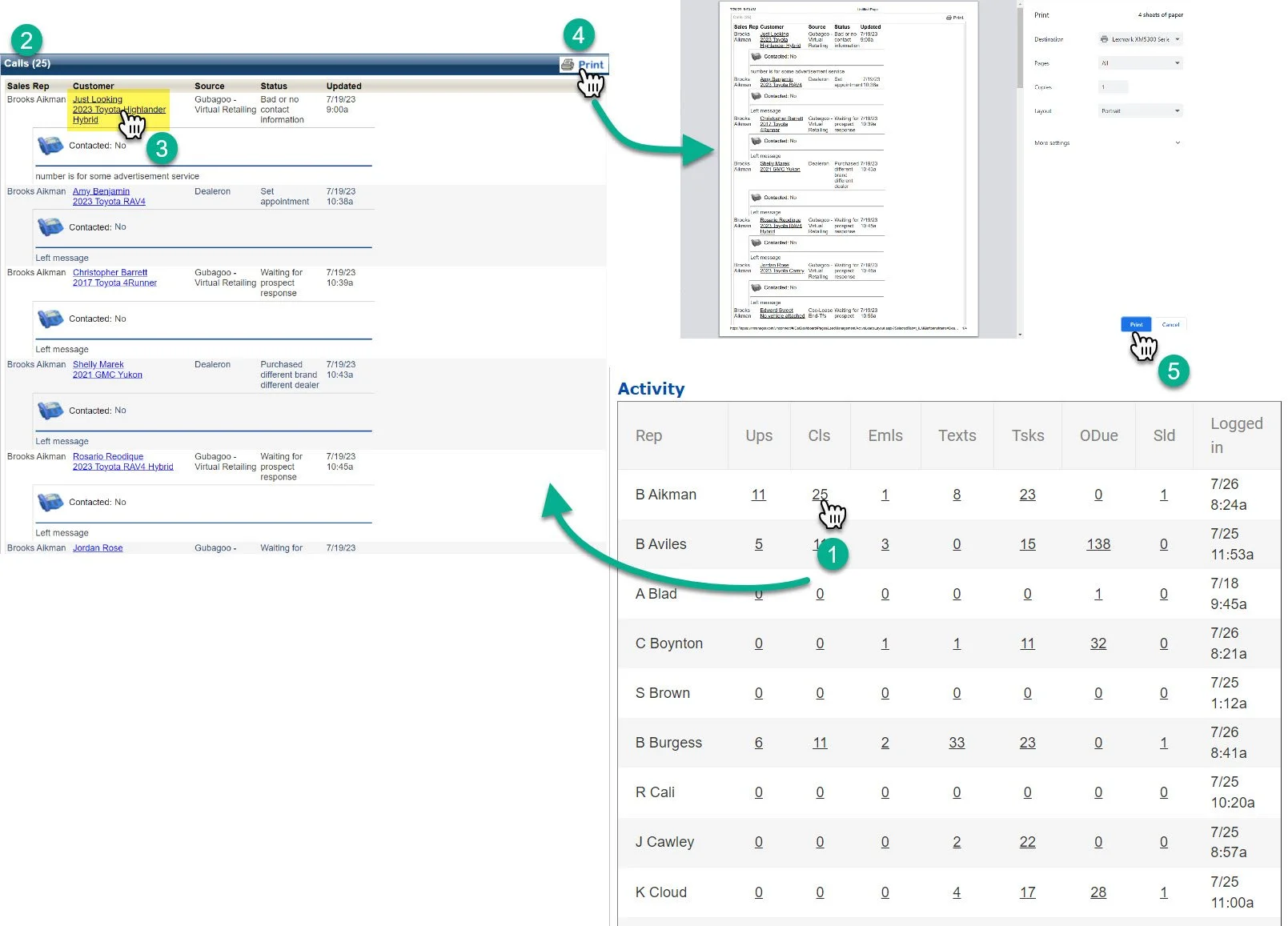
1- Click on the number under the calls column
2- This will open up the Call Log
It’s not sortable, but it is in time order.
3- You can click on the customer name to open the customer profile the call was placed on.
4- Print
It’s 2023, why are you wasting paper by printing. If you really need to do this, click the print button to print out the log. It will open a separate pop-out so you can print the log in a legible format.
5- Click print on the pop out.
But like, don’t just waste time and paper to print a call log. Really have a reason to do it.