
Activity Dashboard- Reps
By clicking the number under the “rep” will allow you to masquerade as that representative and open up the task log.
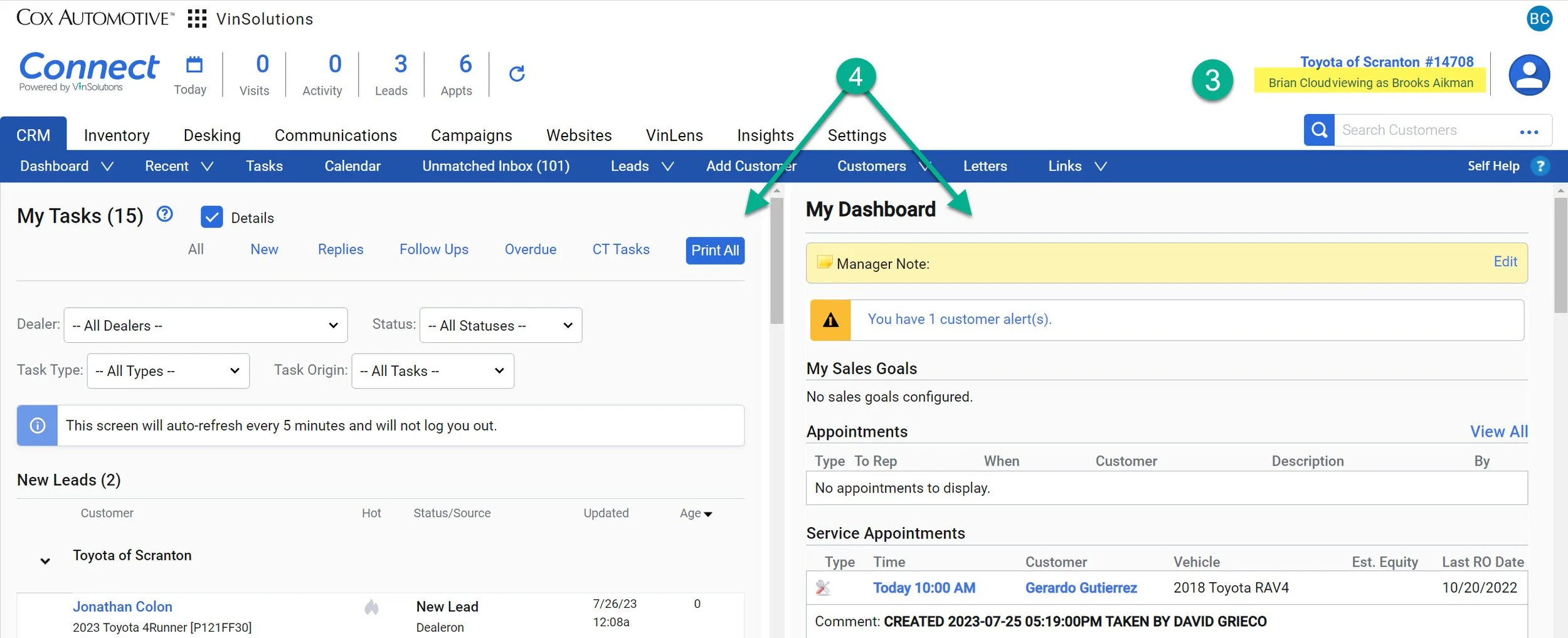
3-Confirm that you are in the rep’s view in the top right corner.
4- The task dashboard for that representative will take over your dashboard.
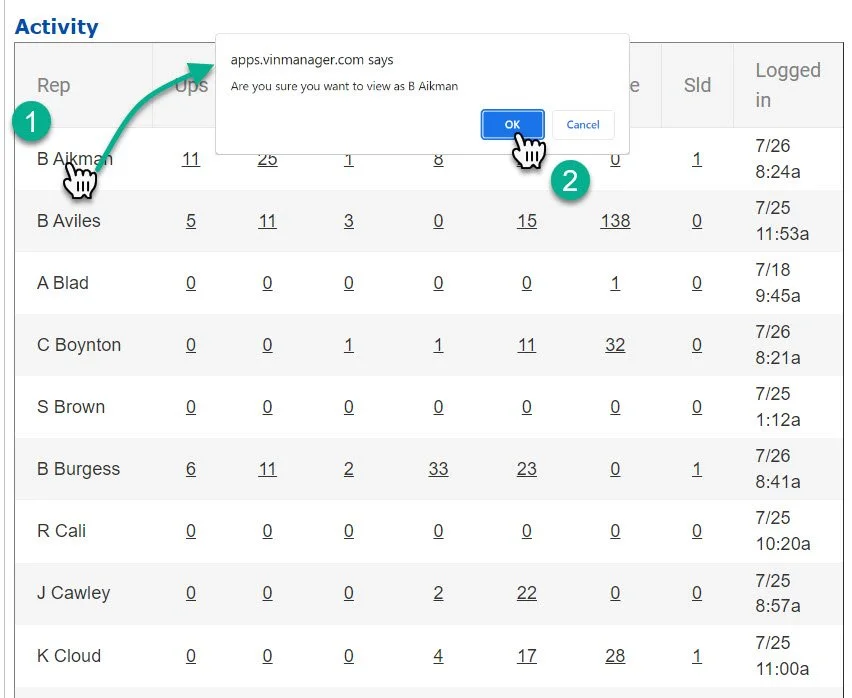
1- Click on the rep’s name
2- Vin will ask you if you would like to view as the selected representative. Click “OK”