
Activity Dashboard- Sold
By clicking the number under the “Sld” column it will open that representative’s sold log on the left.
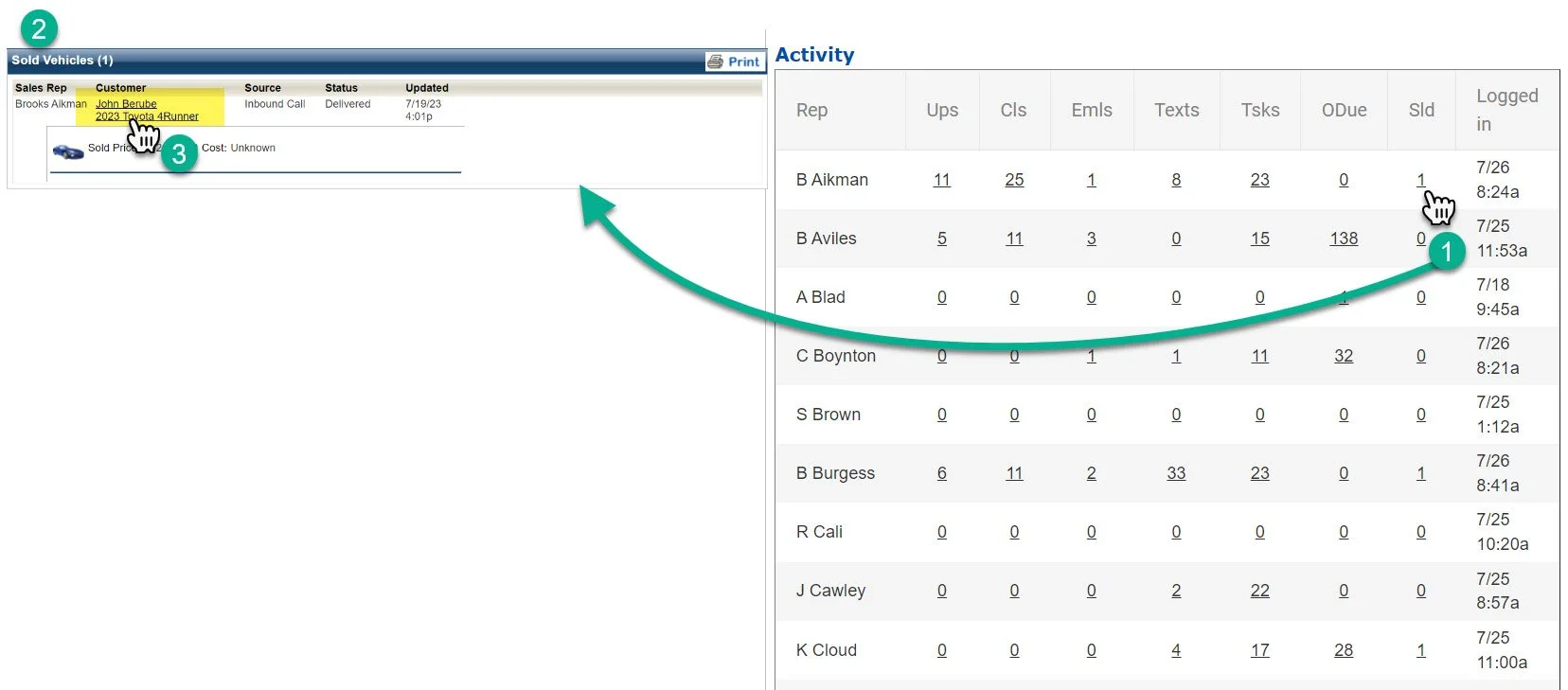
1- Click on the number under the sold column
2- This will open up the sold log
It’s not sortable, but it is in time order.
3- You can click on the customer name to open the customer profile the vehicle was sold to.