
Activity Dashboard- Tasks
By clicking the number under the “Tsks” or “Odue” column it will open that representative’s Task log on the left.
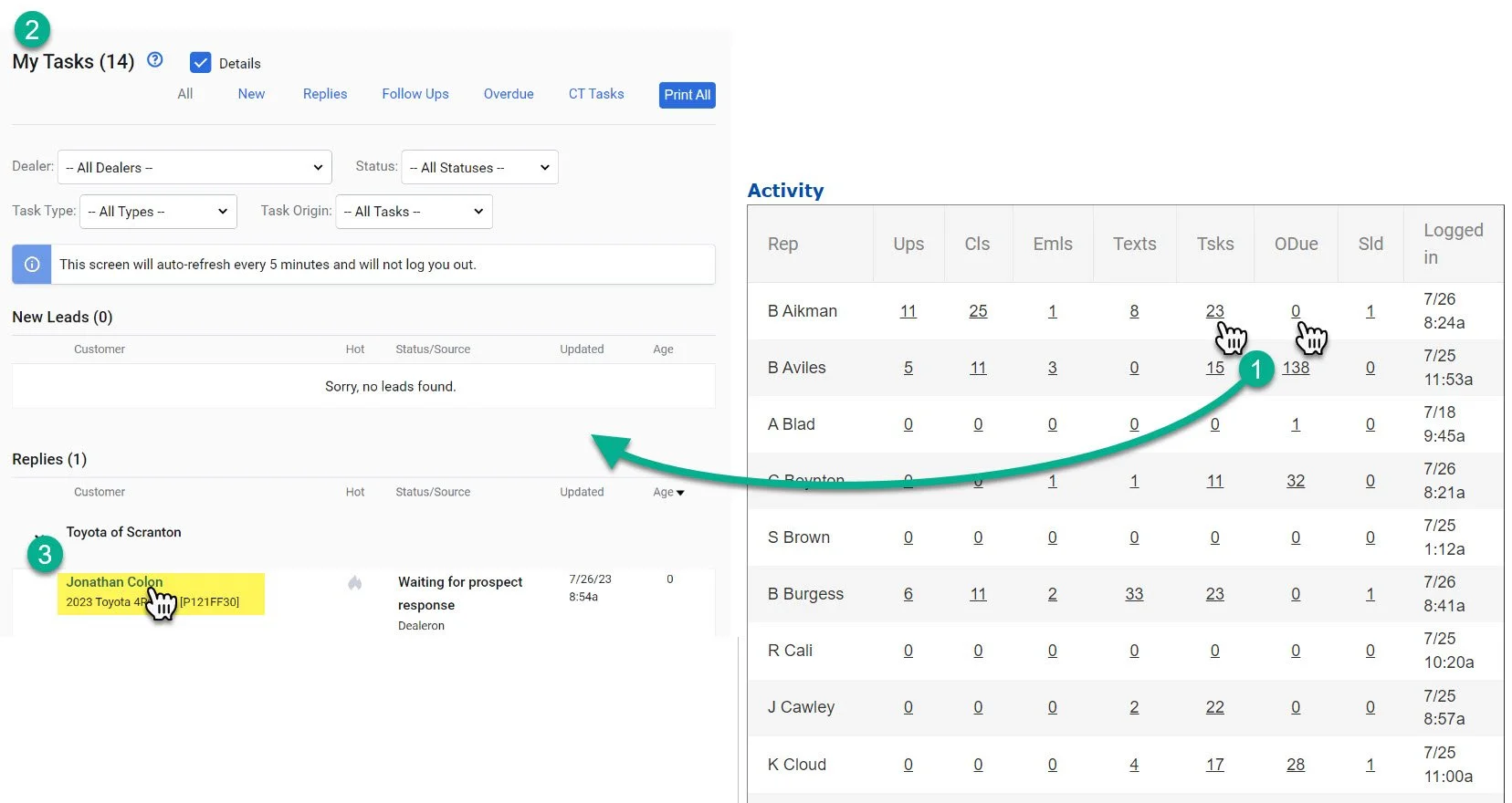
1- Click on the number under the “tsks” “Odue” column
2- This will open up the task log
3- You can click on the customer name to open the customer profile that has the assigned task.
For a full explanation of the Task Log. Click here.