
Activity Dashboard- Texts
By clicking the number under the “Texts” will open up the communication log on the left side.
The dashboard will be presorted by today’s date and text as the communication preference.
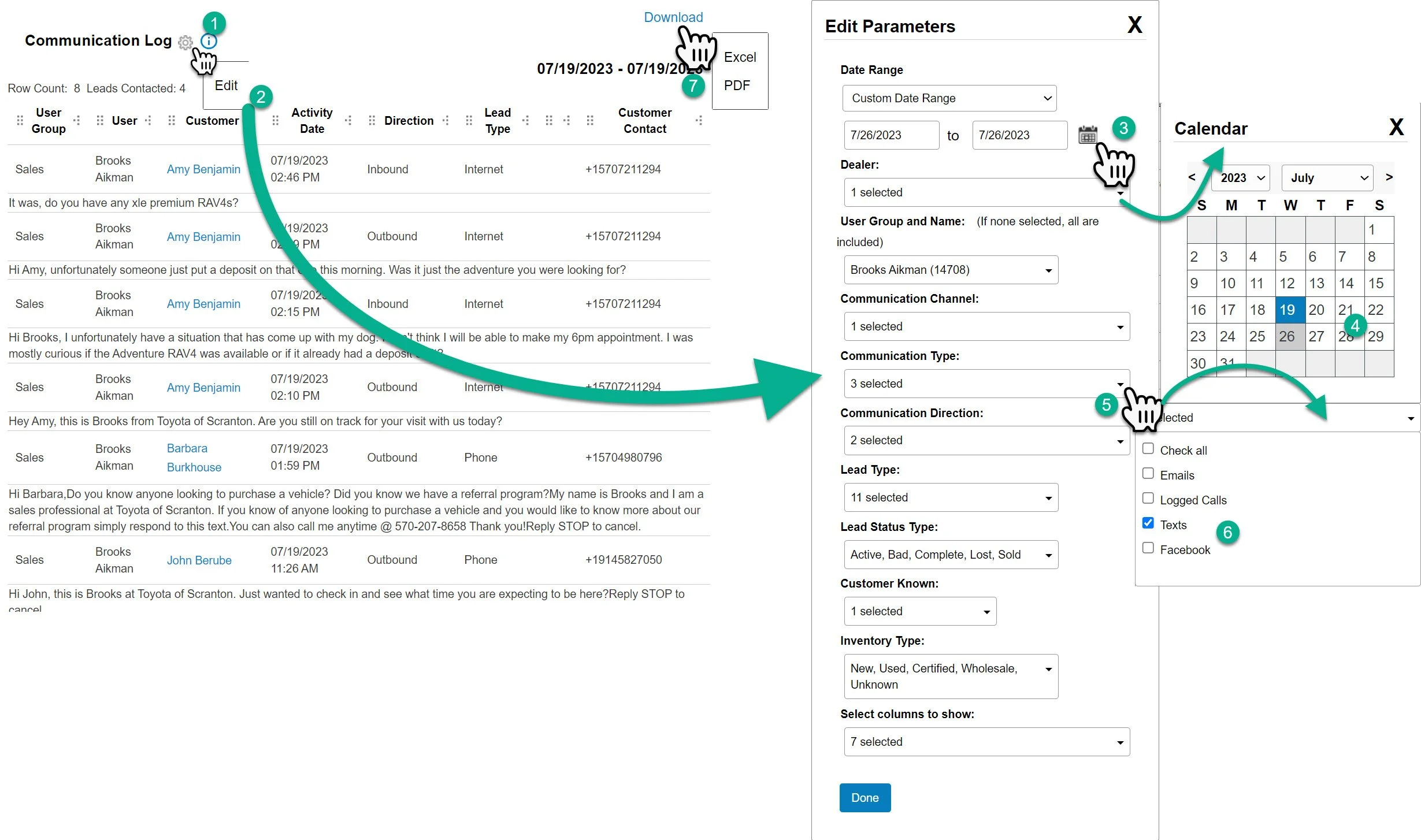
Editing the Communication Log
1- Click on the gear to open the drop down.
2- Click edit. The setting of the report will pop out.
From here there are many ways to adjust the report. The most important are going to be the date and the communication type.
3- Click on the calendar icon to open the calendar.
4- Choose the dates you would like to look at. You can choose a single date or a range.
5- Click the communication type drop down.
6- Chose the types of communication types you would like to review.
You can use the various drop downs to clean up the report, click done when you have edited the report to the way you would like to see it and the page will reload.
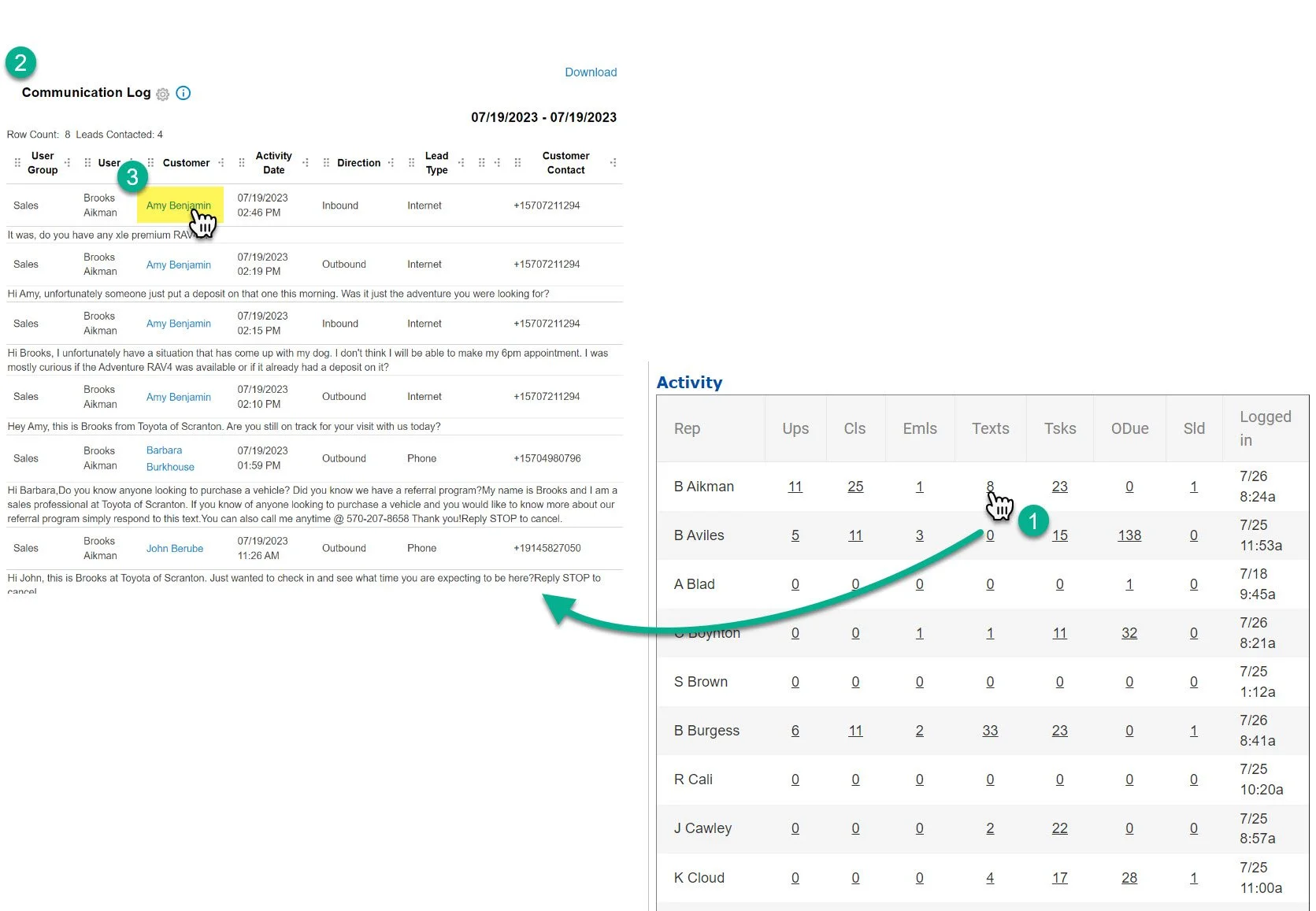
1- Click on the rep’s name
2- The Communication Log will open on the left side of the screen.
3- You can click on the customer’s name to open the profile