
Activity Dashboard- Ups
By clicking the number under the “Up” column will allow you to the desk log for that individual and view all of the opportunities that customer has received that day. .
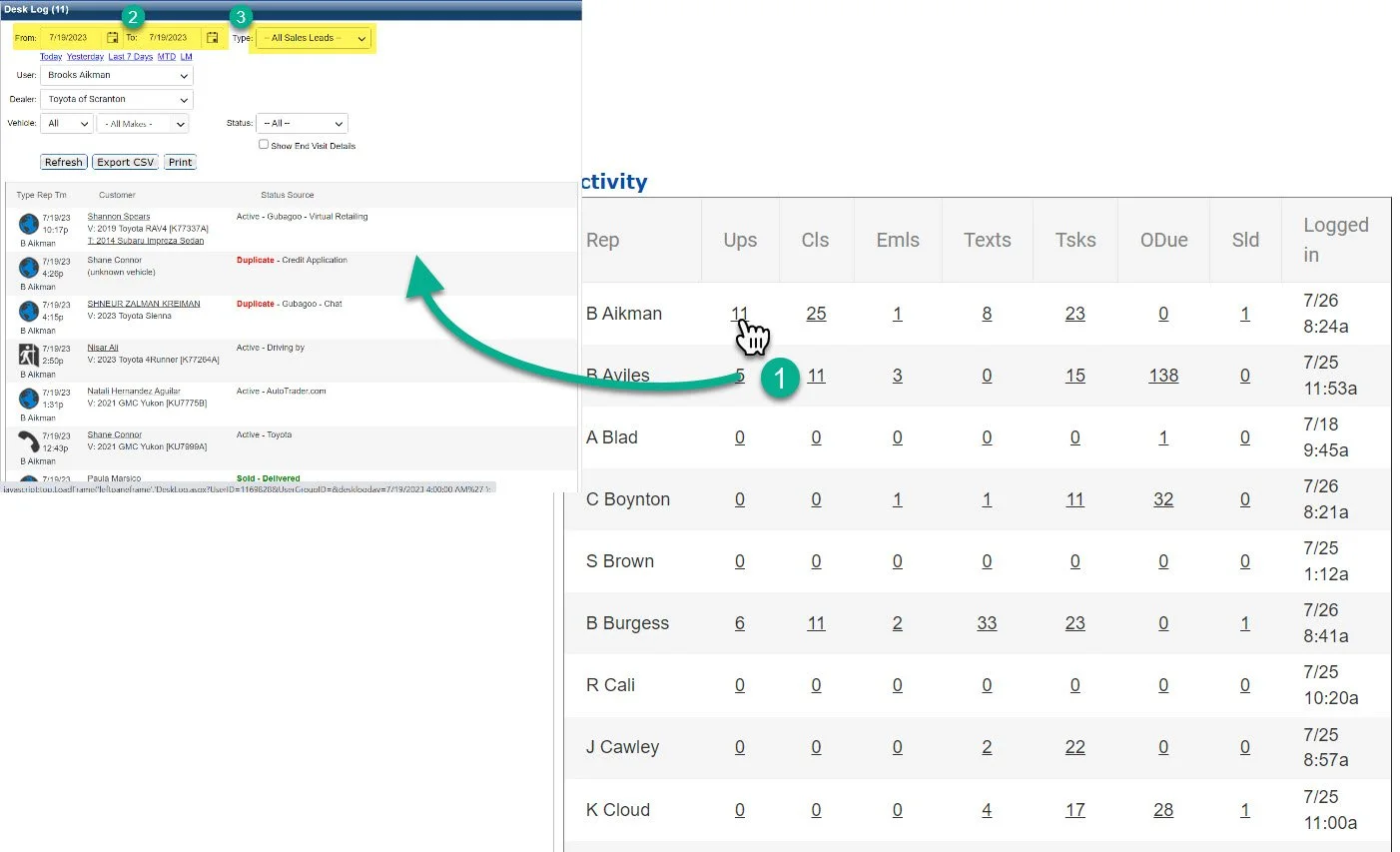
1- Click on the rep’s name
2- From the calendar icons you can adjust the dates.
3- The “Type” will always sort by “All Sales Leads”
For a full explanation of the Desk Log please click here.