
Creating an Appointment
1- Click on the calendar icon on the customer profile to open the appointment widget.
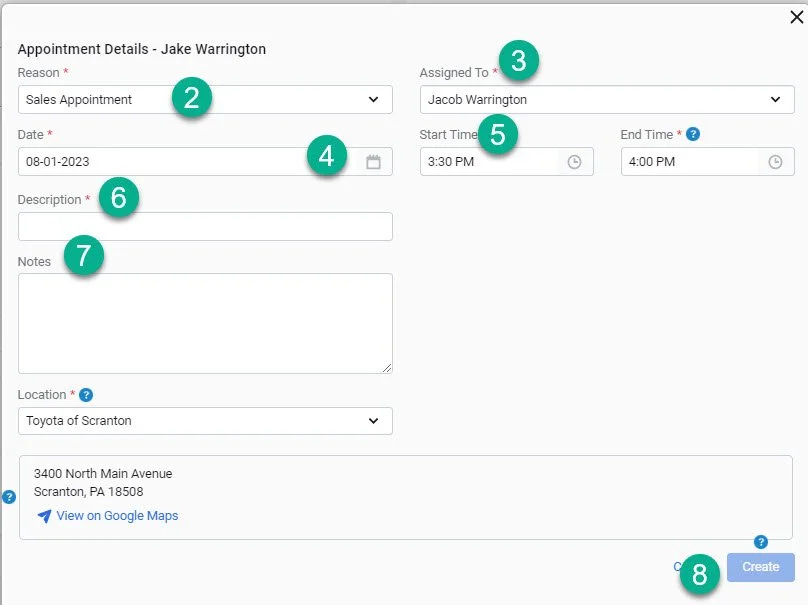
2- Select the appointment type
3- Make sure the appointment is assigned to the correct representative
4- Select the appointment date
5- Select the start time for the appointment
6- Add a description for the appointment “New” or “Used”
7- Add notes for the appointment
8- Click create to finalize setting the appointment