
Logging A Phone Call

1- Click the call widget
This will cause the Call Details screen to pop-up.
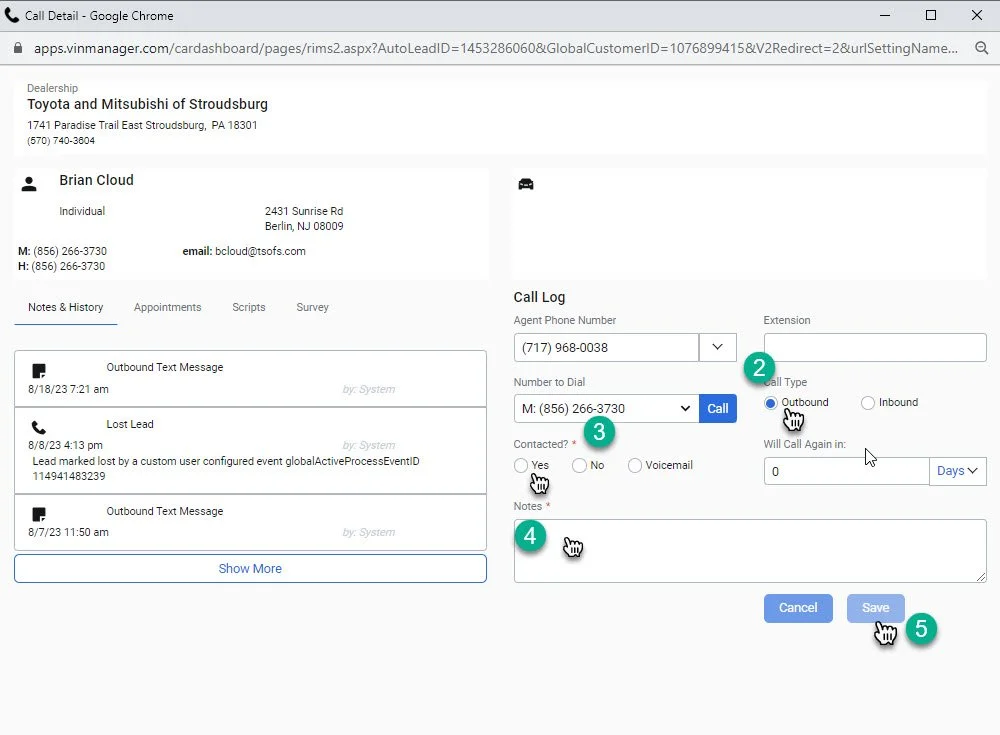
1- Select the type of call you wish to log click “inbound” or “outbound”
2- Select “Yes if you made contact with the customer, Select “No” if you did not make contact with the customer. Select “Voicemail” if you left a message for the customer.
3- Log phone call notes. If you did not make contact with the customer log “NA”.
4- Select “Save”