
Dealership Date- Dashboard
Is it early in the morning? Are you trying to recap and take a good look at what happened yesterday?
Did you make a call yesterday log it, but forgot to set a task on a customer?
Adjusting the date is an easy take general overview of yesterday’s performance and activity dealership wide.
You are limited to about 3 weeks from this adjustment, so for additional information you would need to rely on search functions or reporting.
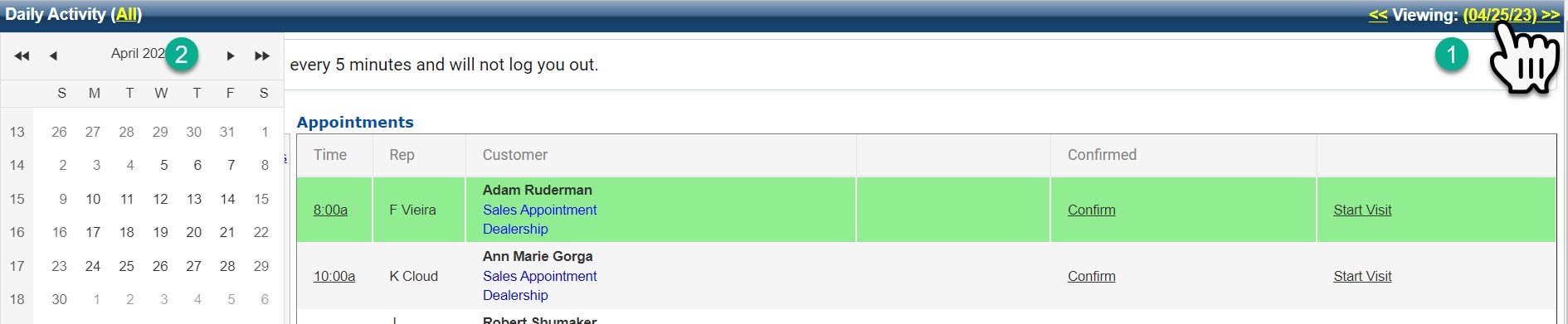
1- Click the yellow date or the arrows to go forward or backward in time.
2- If you click the date, a calendar will pop up on the left side. From there, you can choose a date.
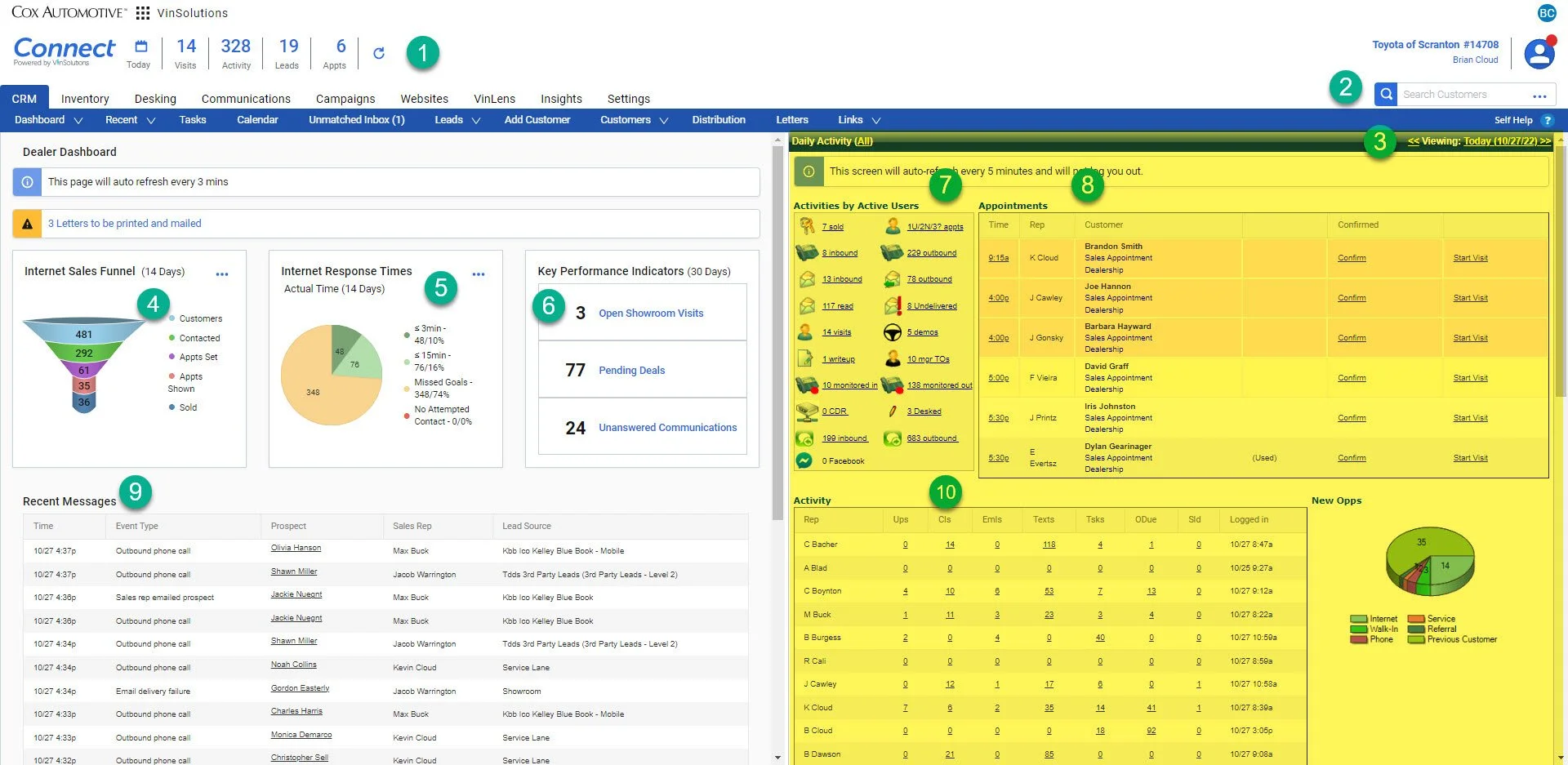
Changing the date will only update the Daily Activity Section (highlighted above)