
Hey, Did you get this?
Let's be honest—email might not be the most effective way to reach a lead, but sometimes it's the only option we have.
The goal of the first email is to thoughtfully engage with the lead, but if there's no response, it's often unclear what went wrong. It's challenging when we don't hear back, making it difficult to understand where the disconnect lies. Our primary objective is to get a response from the customer, which then allows us the opportunity to earn the right to transition to a more personalized form of communication.
To achieve this, our email needs to grab the customer's attention and stand out in their inbox. To improve our chances, we'll focus on crafting a compelling subject line that captures attention—without having to rewrite the entire email.
Here are the steps to do that:
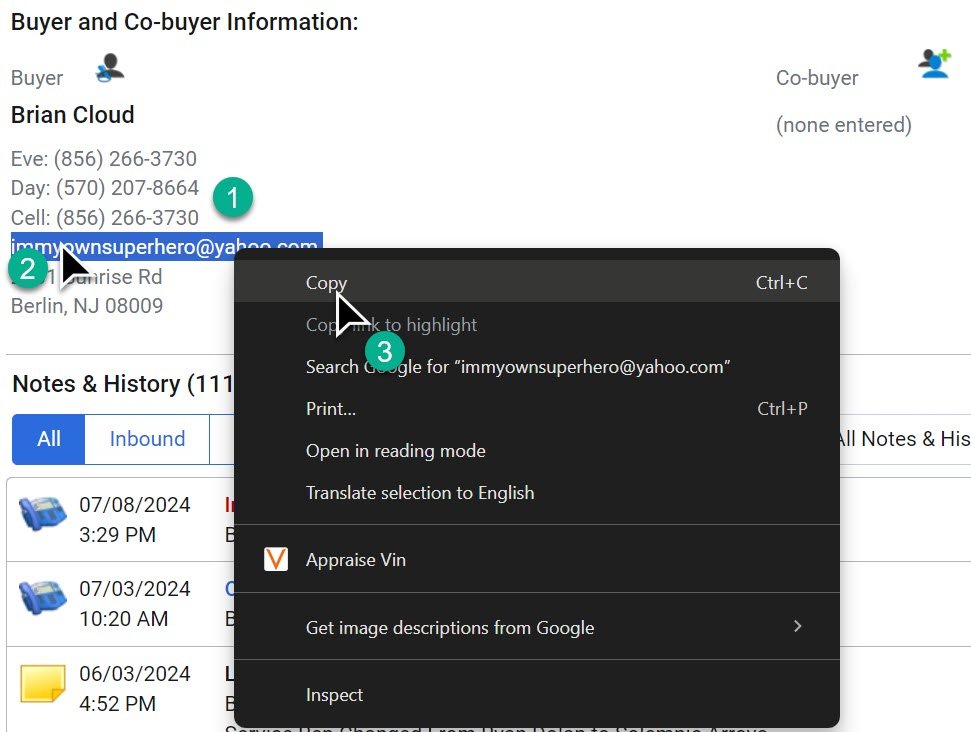
1- Locate the customer’s email in the Buyer and Co-buyer information section of the Customer Profile. This section allows for easy copying without opening a new screen.
2- Highlight the customer’s email.
3- Right-click on the highlighted email and select “Copy.”
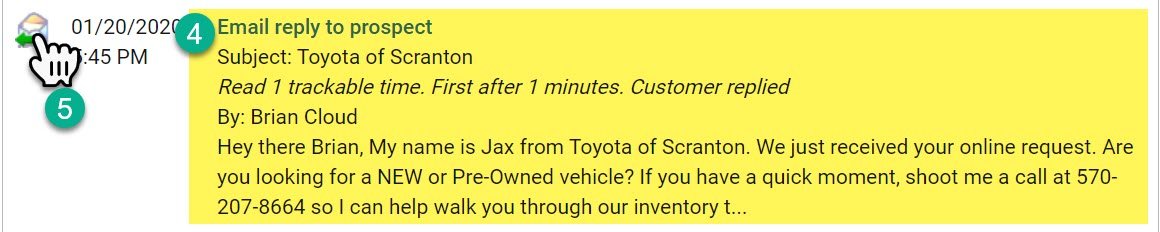
4- Locate the first quality response email you sent during the initial lead process in the customer record.
5- Click on the email icon to open the email.
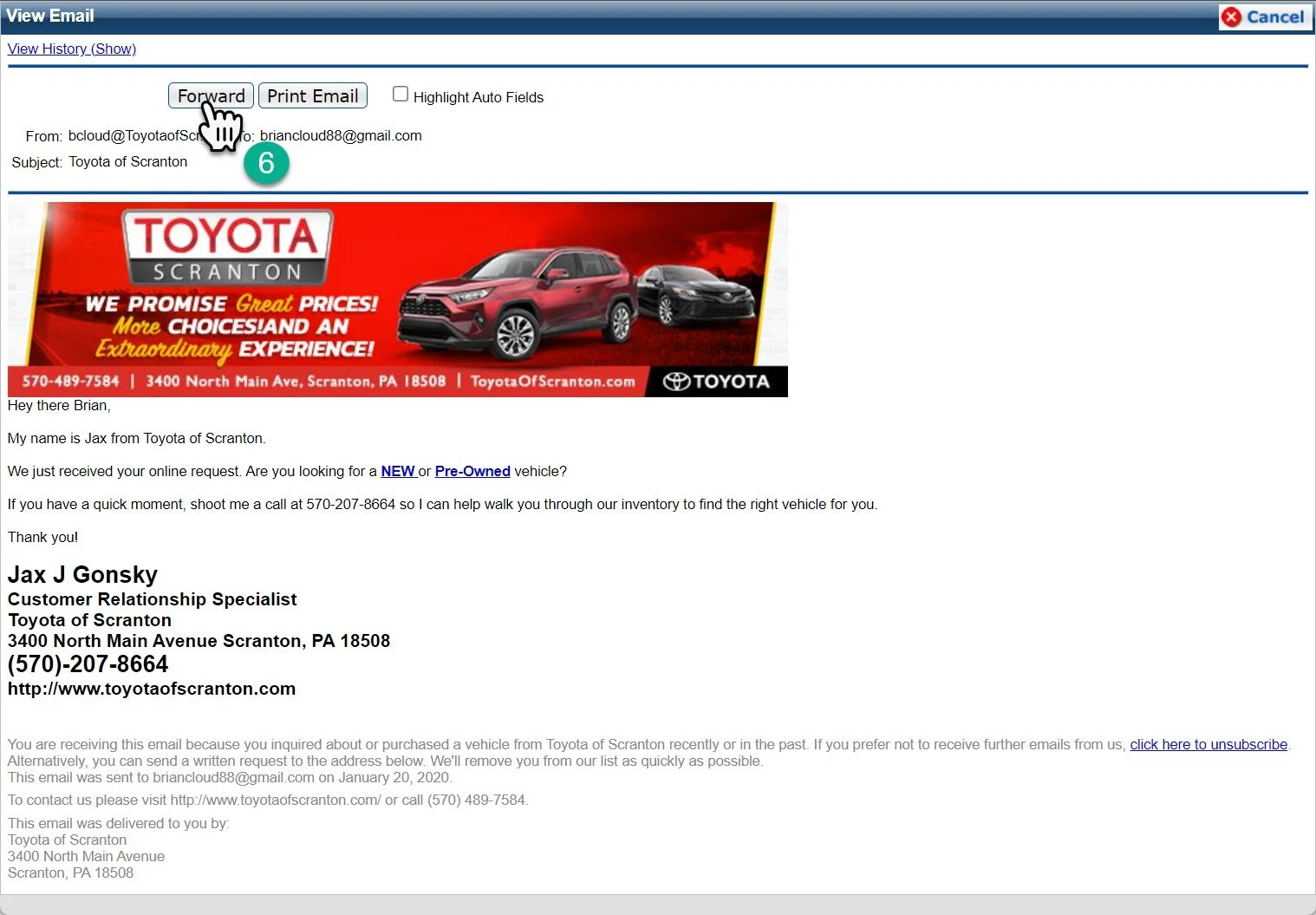
6- Click the "Forward" button on the email you sent during your initial response.
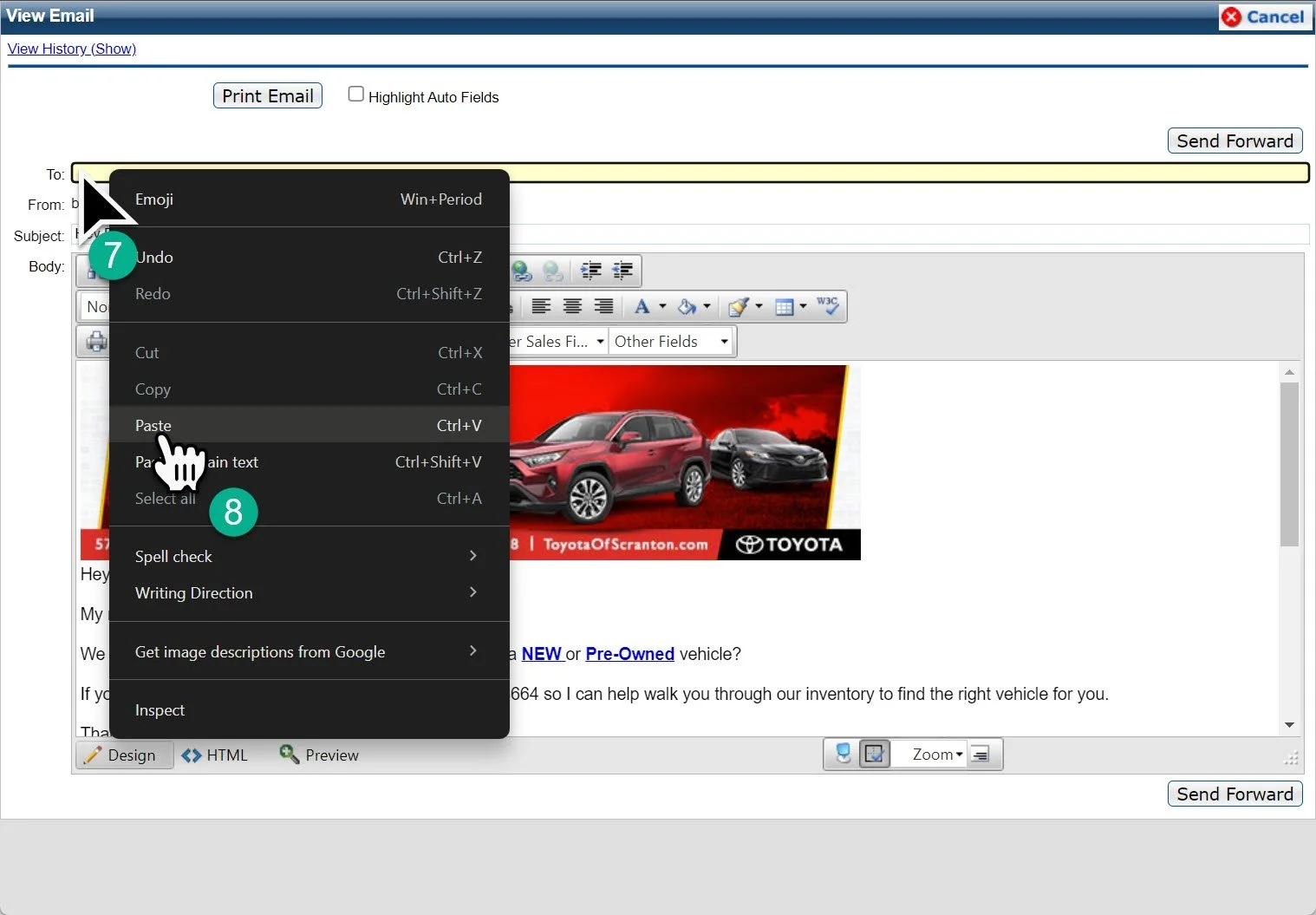
7- Right-click in the "To:" section.
8- Paste the customer’s email that you copied earlier.
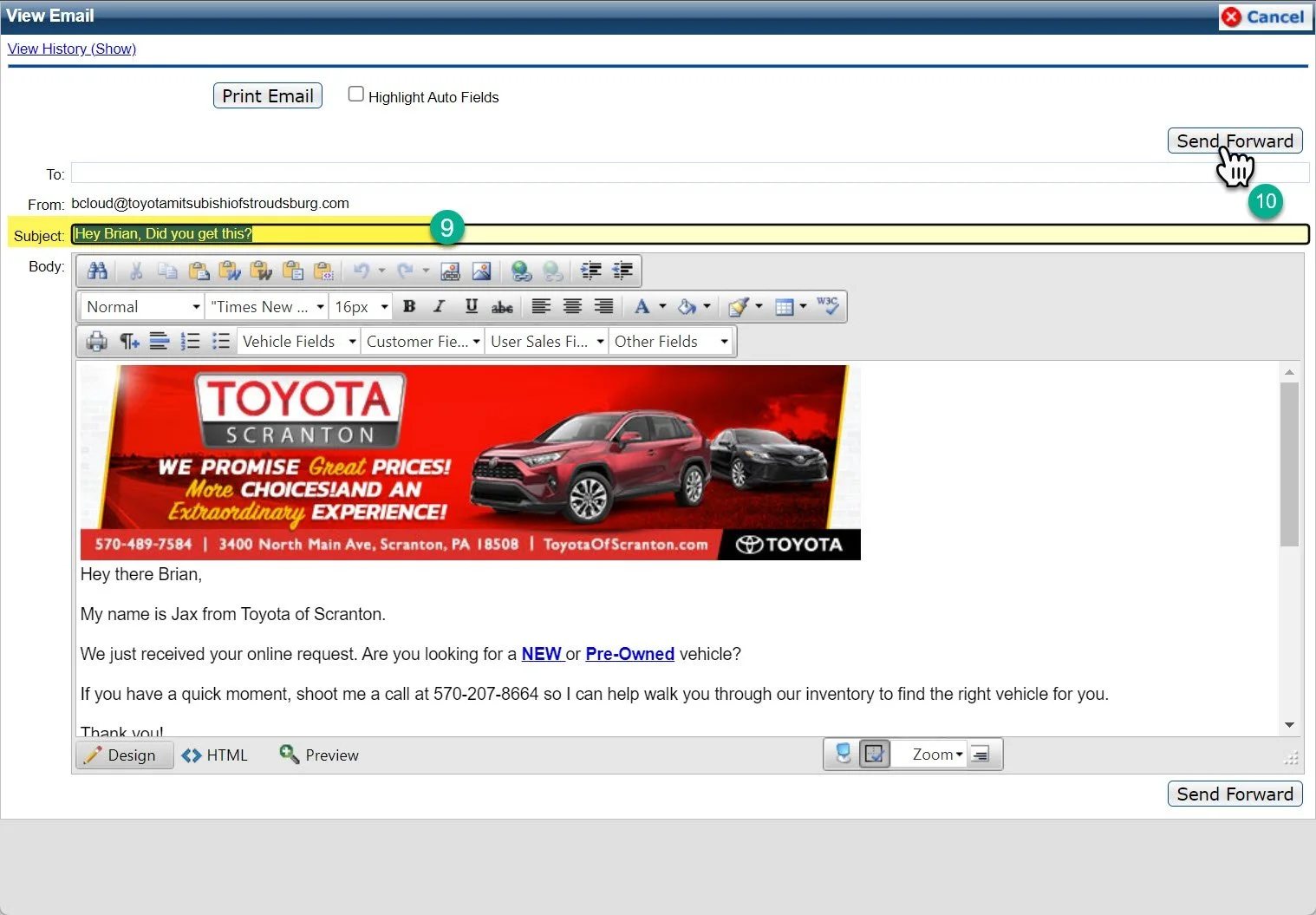
9- Change the subject line of the email to “Hey [Customer’s First Name], Did you get this?”
10- Click “Send.”