

Looking for Tasks
You can find your tasks in two ways:
Make sure the CRM tab is highlighted on the menu bar and select tasks
-OR-
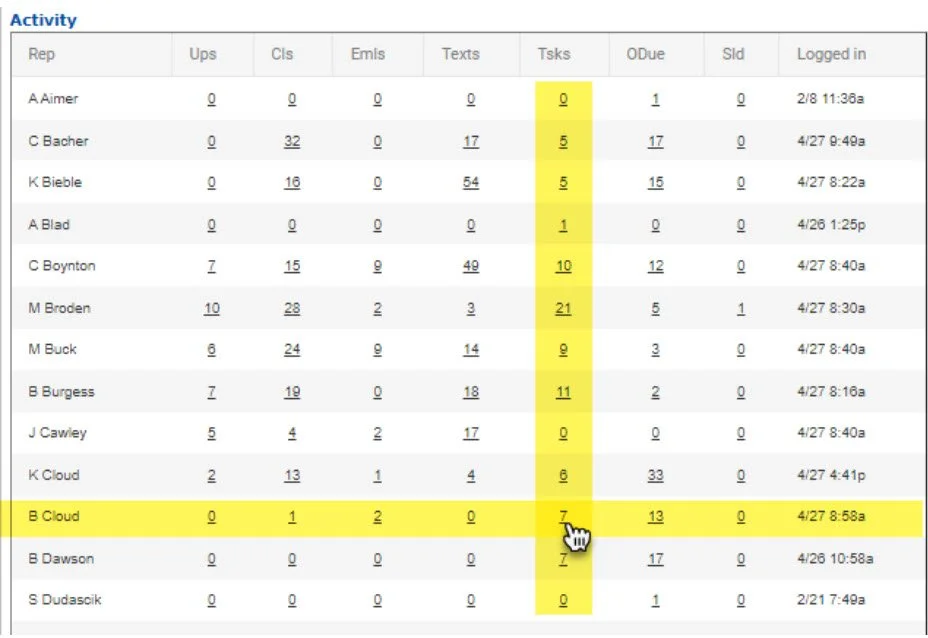
Find your name in the activity section and click on the number under the “Tsks” column.
Both of these options will open you up to your
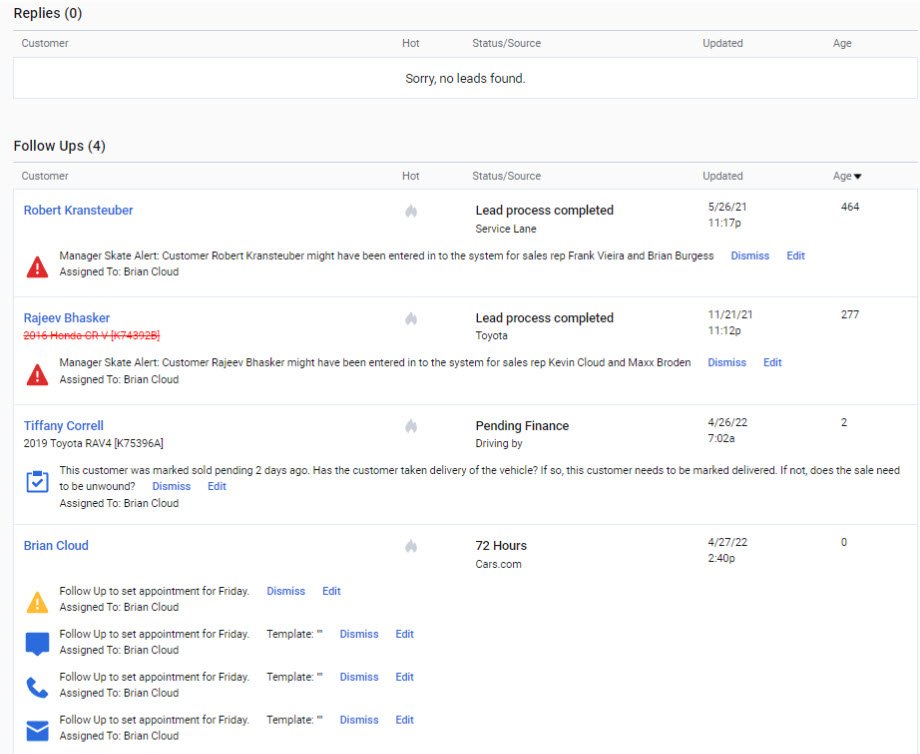
task dashboard on the left side of the page
Scroll down past the “Replies” section (there should always be 0)
and make your way to the follow up section.
By clicking on the customer name you can open the customer profile. By clicking on the task itself you can complete it directly from the dashboard.