
Customer Information Dashboard
The customer information dashboard allows you to update a customer’s information, including which phone numbers we text, or to update a customer’s contact requests.
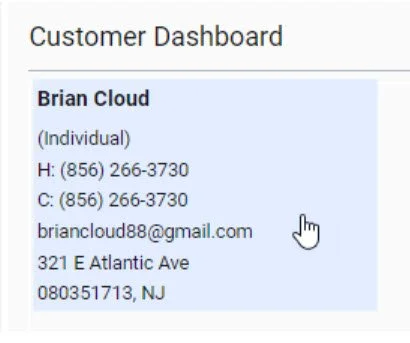
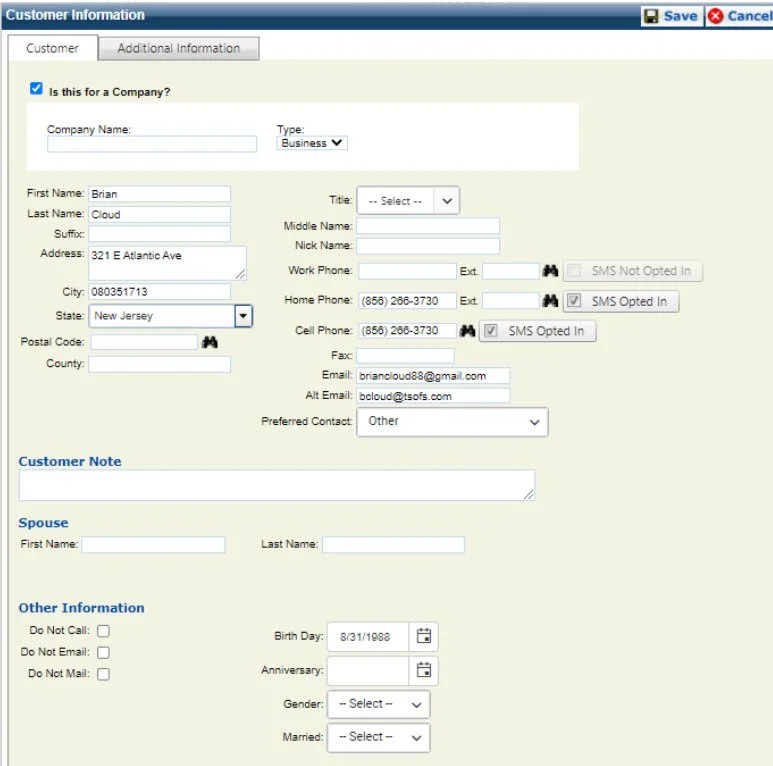
To open the dashboard, highlight your mouse over the customer’s name. A blue shaded box will appear surrounding the information. Click inside this box to open the Information Dashboard.
It will look like this:
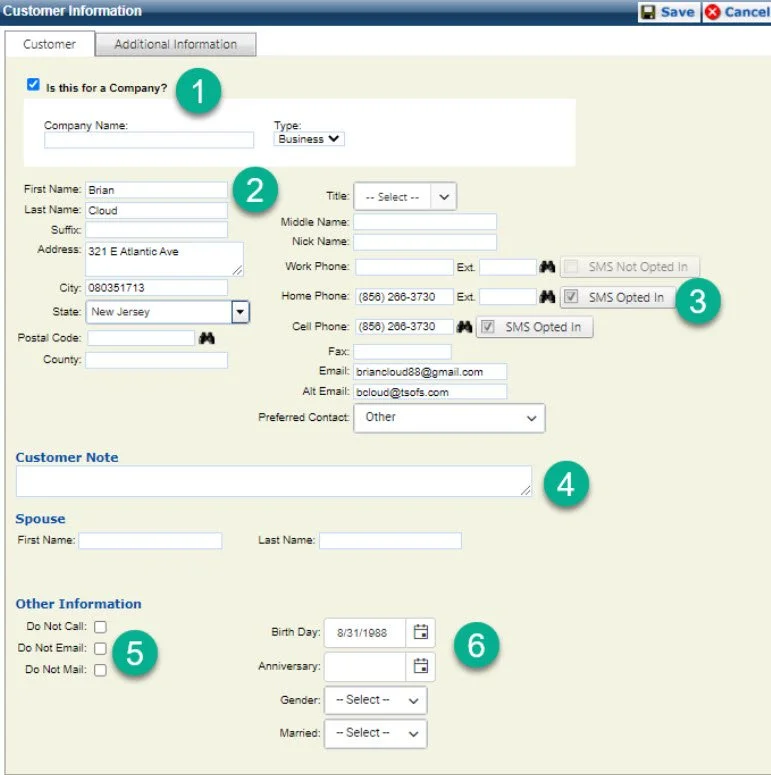
In this entire dashboard each section is easily edited like any other standard form. However, it is extremely important that you click save to allow any changes to take effect.
The following is a breakdown of each section:
1- By checking the “Is this for a Company?” box, this will expand and allow you to use a company and properly mark a customer that has purchased on behalf of the company. This is important for future contacts with this customer. Should you try to reach out to a customer to follow up later down the road, you may have just the company’s name or just the customer’s name without any reference, which could make it more difficult to contact them if this section is not used properly.
2- This section is your standard information form. It is important to keep this information up to date. Should you call a number that is out of service or an email is bounced, remove it from this section. Should you get an additional phone line to reach your customer, update that as well.
3-The “SMS Opted In” box allows you to text the phone line associated with each checkmark. The system will only text one line at a time, and the order of which they were selected.
4- Customer Note Section- This allows you to leave a note on the customer profile. DO NOT USE THIS. There is no record or audit of when these notes are left and they can be edited by anyone. This is an ineffective way to leave notes and should only be used by managers.
5- The “Other Information” allows you to mark a customer that does not wish to be contacted as such. Should a customer ask you to no longer Call, Email, or Send Physical Mail, please mark that in this section. Text messages will automatically Opt Out should the customer request it.
6- This section is for more personal information should you have it.
The additional information section is for just that, additional self explanatory information.
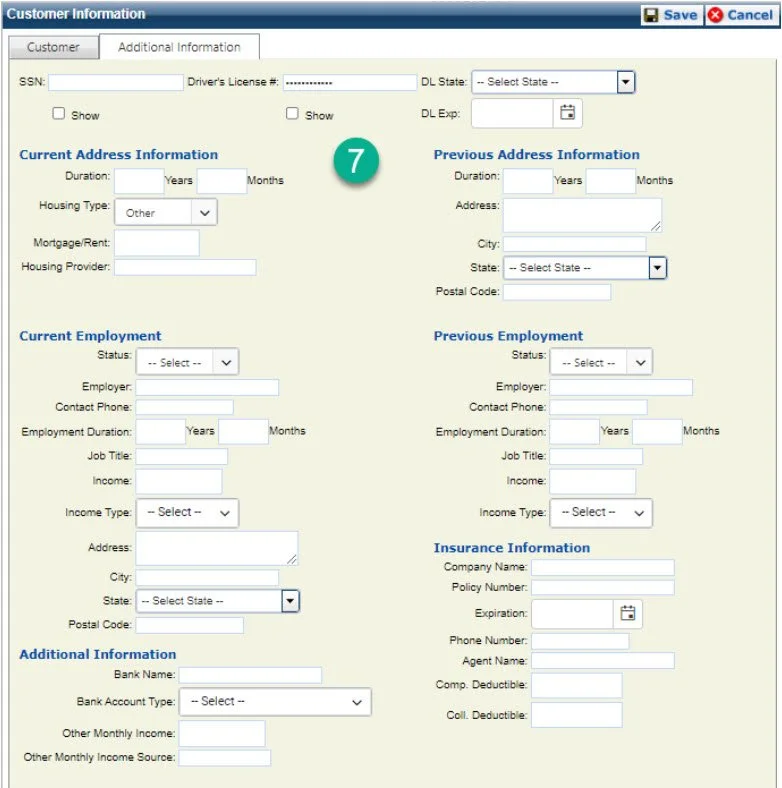
7- This information is generally reserved for finance, unless the dealership is on DealerTrack DMS, there is no use for this section from a team member. Please do not write down personal customer information on paper or add it to this section. Follow the proper compliance guidelines.