
Navigating to Leads
VinSolutions is a task based CRM and just like any system there will be holes in the task process. The task based process is designed to help the user make contact and due to its automatic nature it can not take the place of the “road to sale''.
Each customer is going to provide you information that makes how we follow up with them different depending on their circumstances.
In addition to providing you with a better look at your current book of business, the task based system is based on recent showroom follow up, a 10 day call/contact system, service lane processes, and phone call processes.
Navigating back to all of your leads from the last 10 days will give you the opportunity to complete the tasks while reviewing your customer base.
Here’s how you can view ALL of your customers from a given period of time:
From the Dashboard:
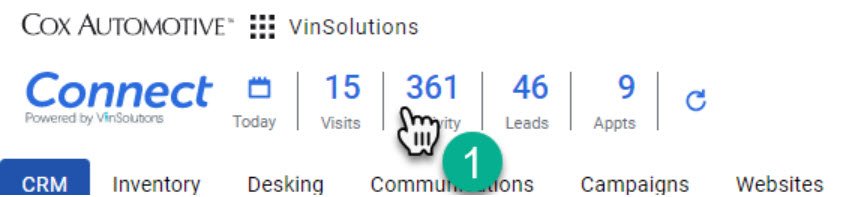
1- Click on the Connect Dashboard- No matter where you click it will open up the Connect Navigation sidebar.
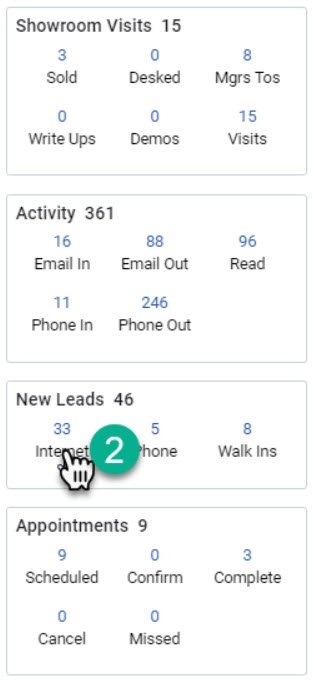
2- Click on any of the highlighted numbers in the “New Leads” section. This will open the desk log.
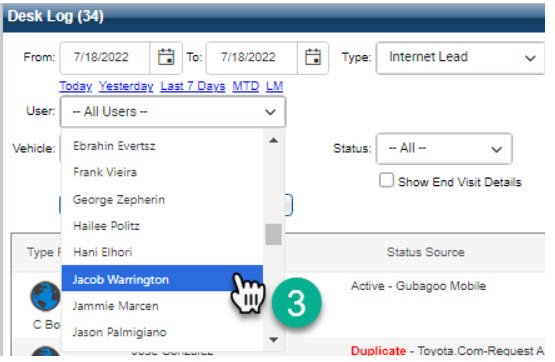
3- Under the “User” section. Click the Drop down and choose your name.
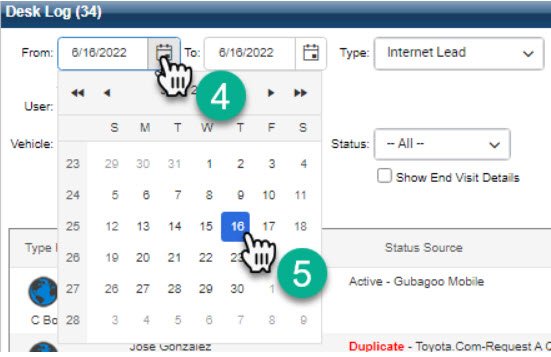
4- Click on the calendar icon next to the “From:” section
5- Choose the date you would like to navigate back to.
(Repeat the process for the “To:” section if you would the end date to be any day other than today)
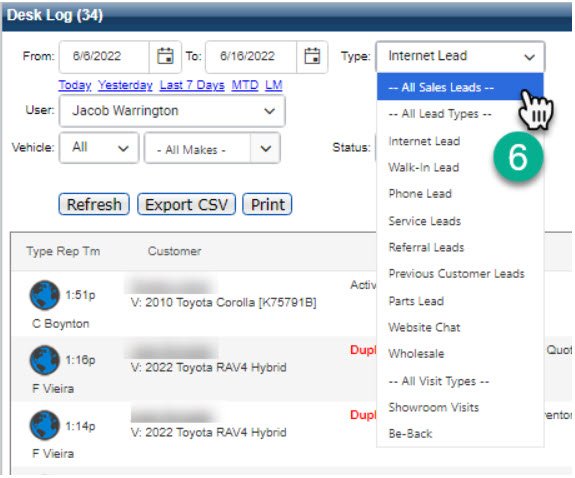
6- Drop down the “Type:” section and choose “-- All Sales Leads –”
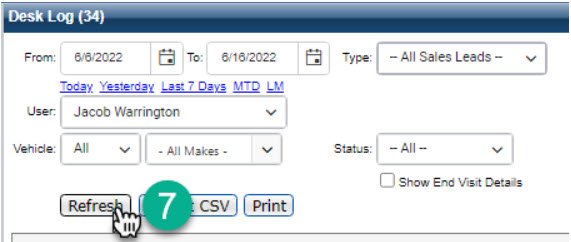
7- Click “Refresh”
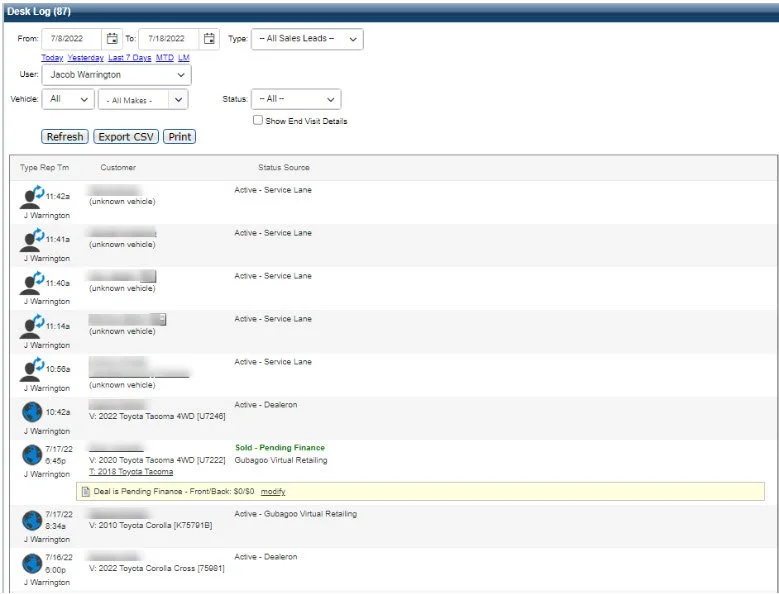
This will show a desk log of all of your sales customers from the time period you have chosen.