
Current Customer Process
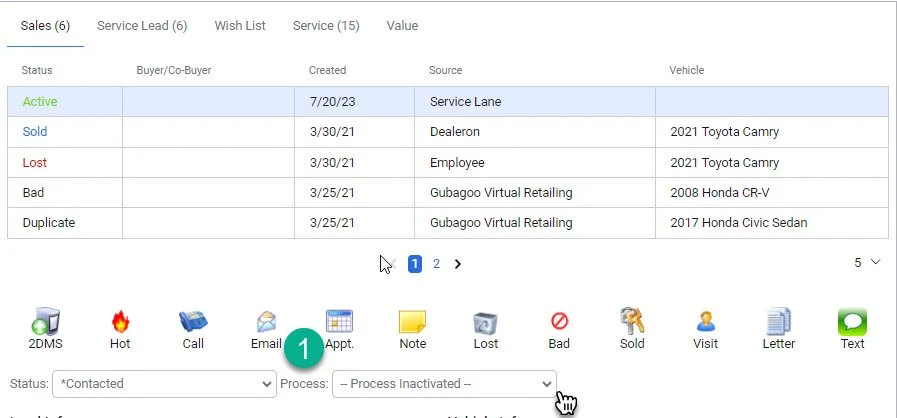
1- Click on the “Process” drop down arrow
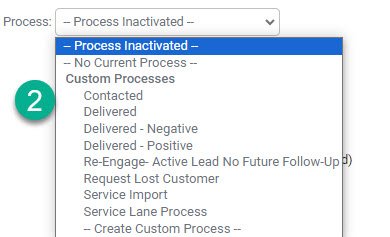
2- Select the current customer status
Note: After the customer takes delivery of their new vehicle change the status to “delivered”
1- Click on the “Process” drop down arrow
2- Select the current customer status
Note: After the customer takes delivery of their new vehicle change the status to “delivered”