
Customer Information
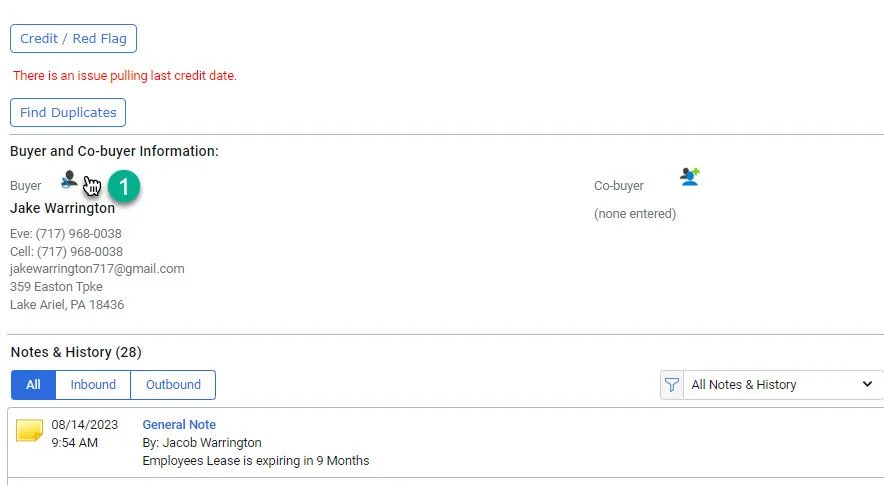
1- Click on the icon next to “Buyer”
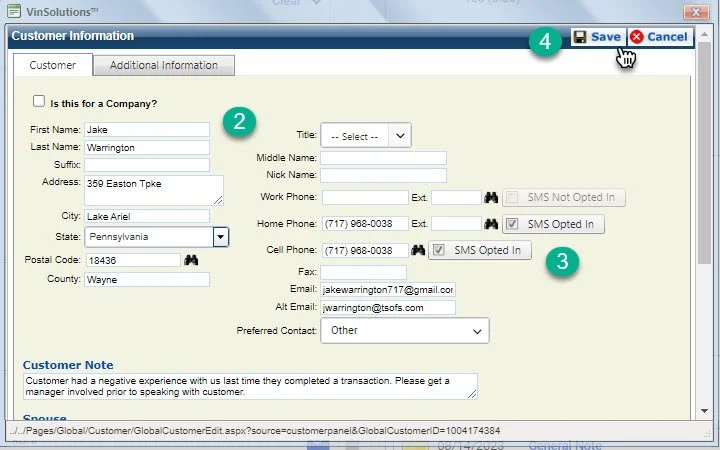
2- Update customer Information Name, Address, Phone, and Email
3- Opt-In customer to receive text messages if neccassary
4- Click save
1- Click on the icon next to “Buyer”
2- Update customer Information Name, Address, Phone, and Email
3- Opt-In customer to receive text messages if neccassary
4- Click save