
Recent Messages
I like to think of the Recent Messages section of the dashboard much like a stock ticker for activity.
All of the communications coming in and out of the dashboard will show here. I’ve used this to find a customer I was just looking at or prevent another sales person from skating someone. As a manager, I’ve used this to watch a salesperson’s activity live to make sure we’re leaving the right kind of notes or inspect activity.
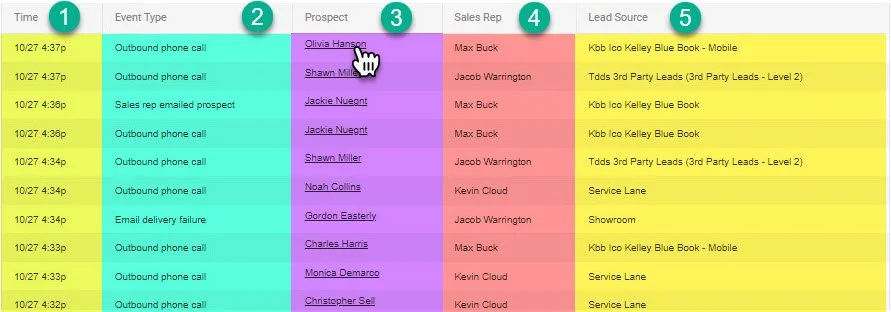
1- Time
This is the timestamp of when the activity occurred.
2- Event Type
This is the type of communication or action taken place by the customer or the sales person.
3- Prospect
This is the name of the customer that correspond with the the action. By clicking on the customer name you can navigate to the customer profile.
4- Sales Rep
Unlike other dashboards and functions inside the system, this is the person that took the action, not the person associated with the profile.
5- Lead Source
This is the lead source under the profile that the action took place.