
Unanswered Communications
Customers should always be responded to immediately.
Our customers are constantly responding to our communications. These responses can be found directly on the customer profile or your a task bucket.
However, if we are not currently looking the customer profile or you have a large amount of tasks, these communications can be missed.
Since we want to keep a copy of the dashboard open on our screens at all times (to keep checking for new leads and monitoring dealership activity) we should also constantly monitor the unanswered communications numbers for updates.
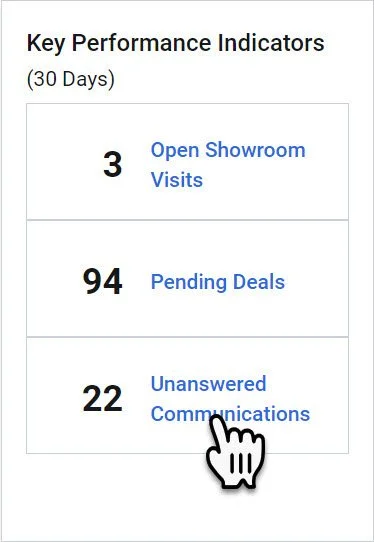
Begin by clicking on the “Unanswered Communications” hyperlink in the Key Performance Indicator widget on the Dashboard.
This will open the “Unanswered Communications Dashboard
Unanswered Communications Dashboard Explained
In the yellow column- This is the sales person currently responsible for the customer.
If you see your name in the list but the customer is not responding to you personally, you should still review the lead to see what is going on with the customer.
In the blue column- This is the user the customer responded to.
Check this column to ensure that a customer is not waiting on you for a response.
In the red column- This is the name and link of the customer that responded to one of our communications.
By clicking the name, you will open the customer profile and will be able to respond.
In the purple column- This is the length of time in days since the customer response.
Any response that ages over 72 hours (3 Days) should have been responded to and is now available for anyone to step in and take control of the customer.
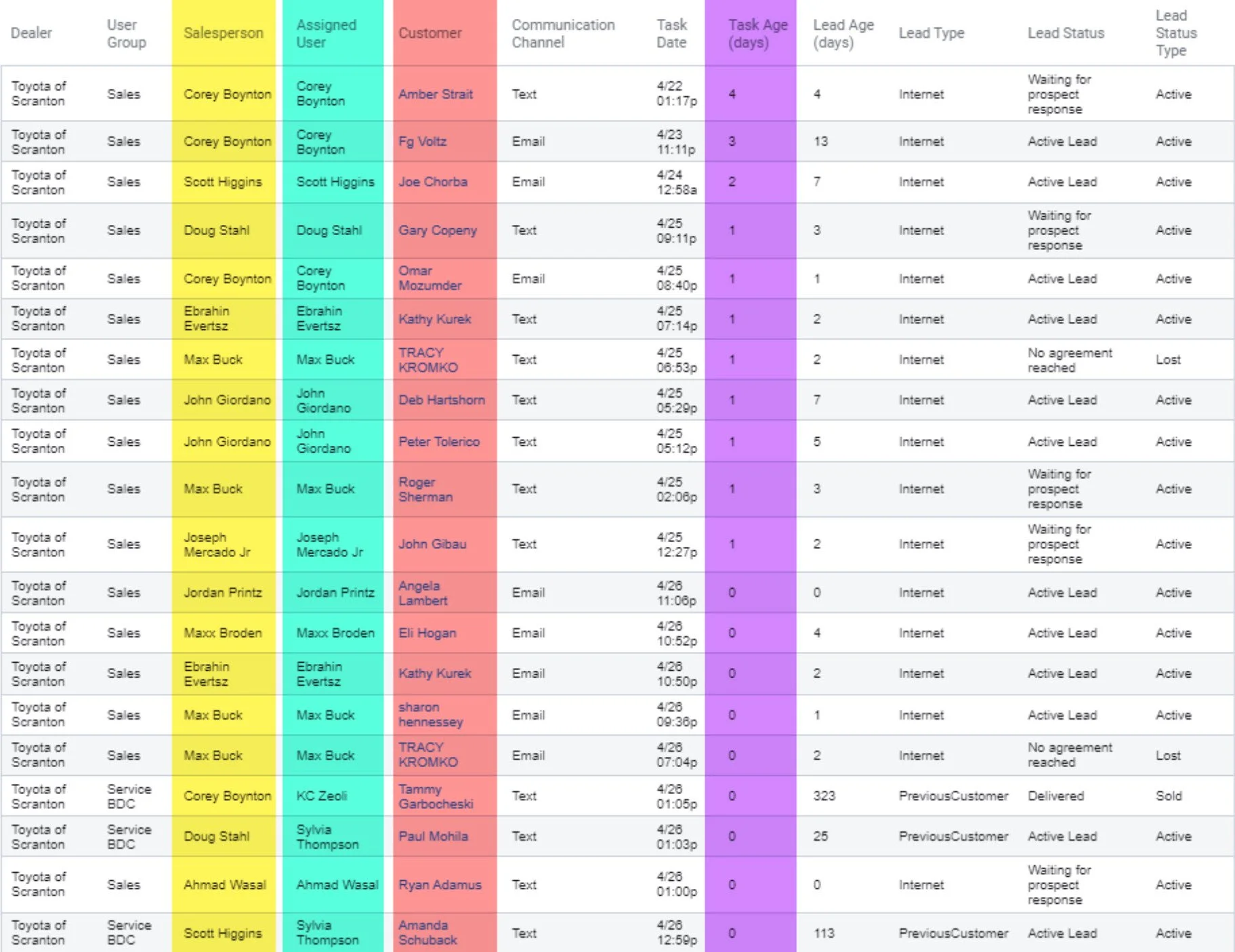
Find your name in the report above.
If the response wasn’t to you directly review the lead and make sure you alert your co-worker that your previous customer is awaiting a response.
If the response is for you respond to the customer immediately.
Either way, click on the customer’s name in (shown in the red column above) to open the profile for review.