
Dealership Sales Appointment Widget
This section of the dashboard will show all of the dealership’s sales appointments for the day.
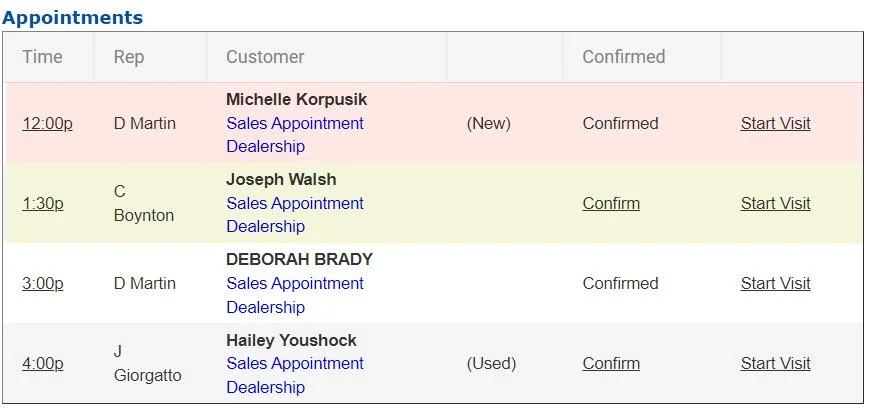
The sales appointments are sorted by time with the earliest appointments showing at the top.
From left to right, the columns will show the time, the scheduled sales representative, the name of the customer (with the location below) the type of vehicle (new or used), the confirmations status, and has a clickable link to quickly be able to start the visit upon customer arrival.
As the day progresses, customers that haven’t been checked in yet or have missed their appointment will highlight in pink. Appointments that are coming up soon or are close to their scheduled time will highlight in yellow.
Pink customers should be called immediately for follow up.
Taking Action from the Appointment Widget
From the widget, you can take some actions on the appointments.
You can adjust the appointment, navigate to the customer profile, confirm the appointment, or check the customer in.
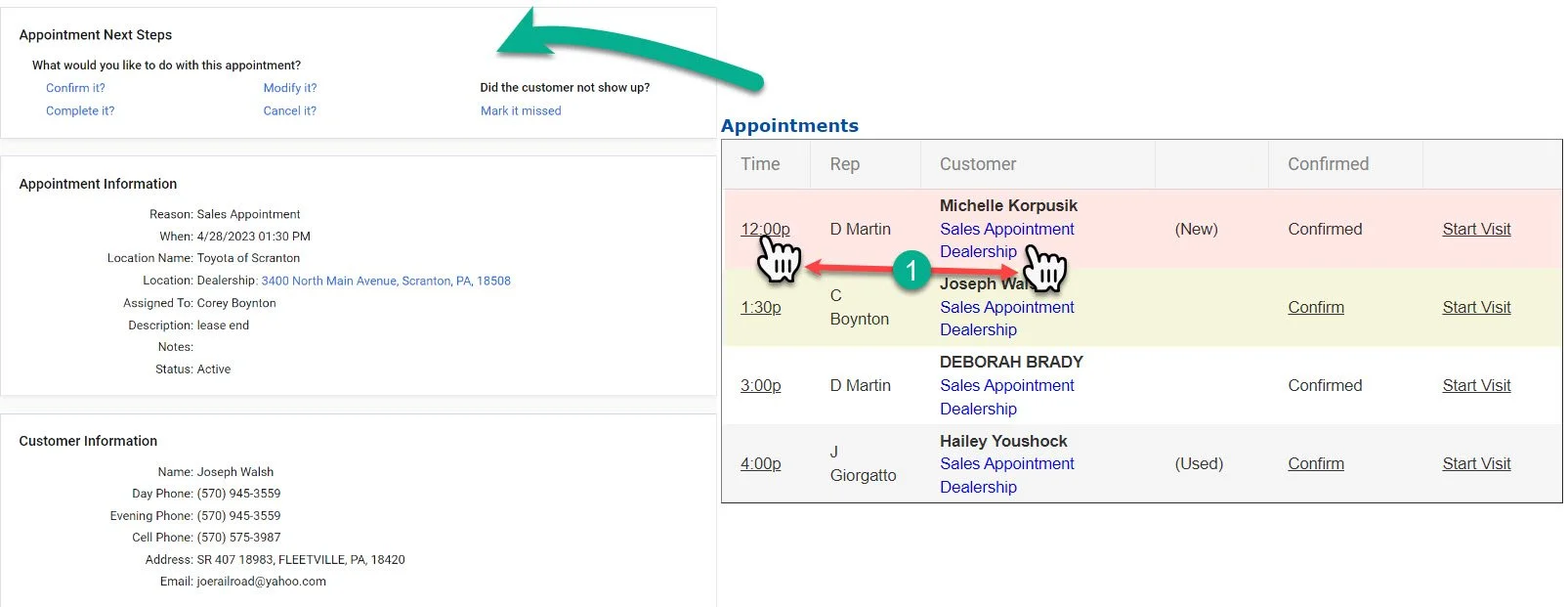
1- By clicking on the time or the hyperlink under the customer’s name, you will open the Appointment Next Steps for that appointment on the left side of the screen.
Click here for the Tutorial on the Appointment Next Steps Screen