
Completing the Appointment
Note: If you are unsure of how to access the “Appointment Next Steps Widget” please refer to the “Dealership Sales Appointment Widget” page.
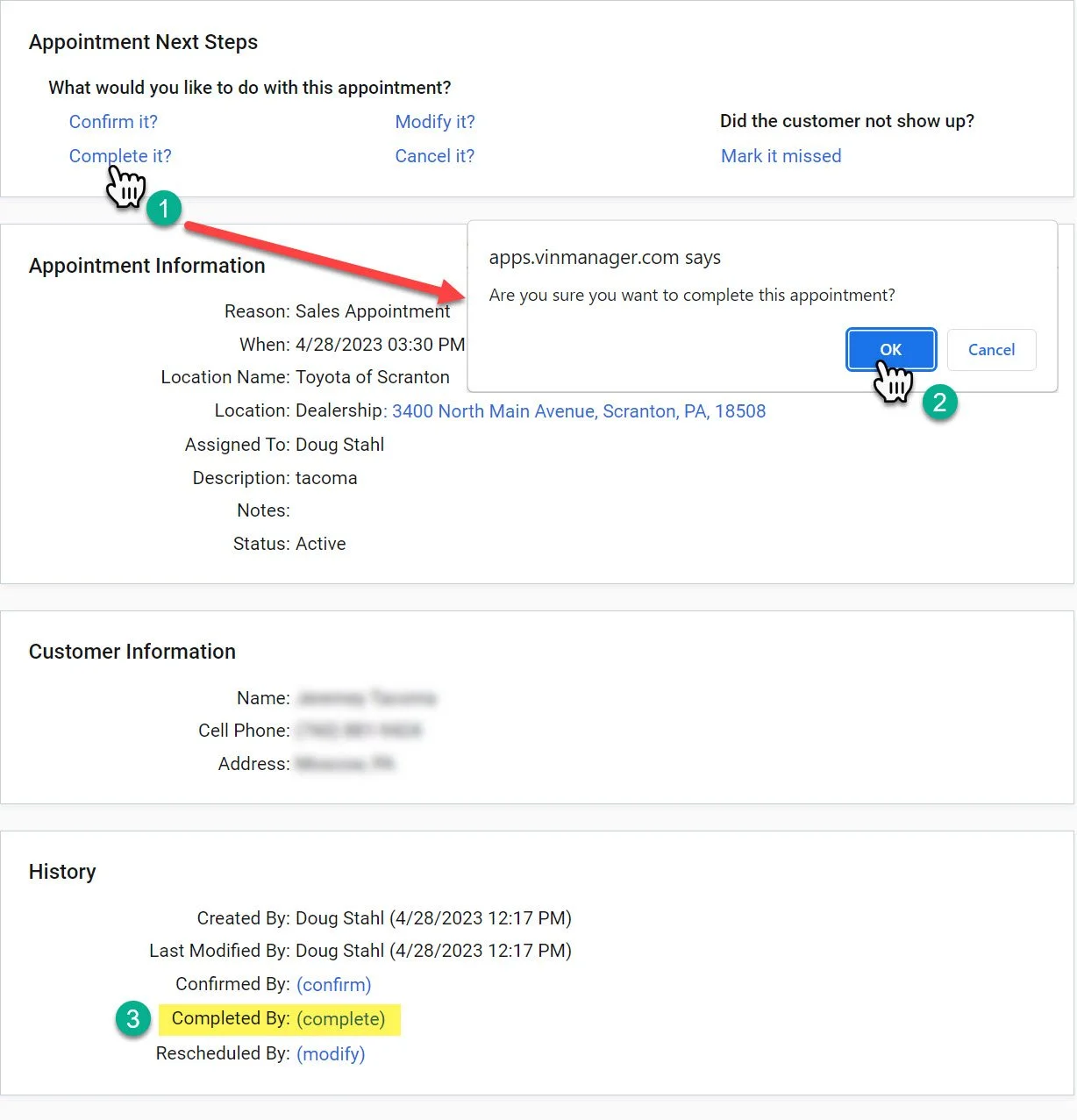
1- Click the “Complete it?” button.
2- A pop-up will show up on the screen asking you to confirm the action. Click the “OK” button.
3- After you press the okay button, “Completed By:” section at the bottom will appear with a timestamp and the name of the user that completed the appointment.
If the appointment is scheduled as a dealership appointment. This will start a showroom visit.