
Send the First Email (First Quality Response)
The first email, known as the First Quality Response (FQR), is often our first opportunity to make a positive impression on a customer. Timeliness and attention to detail are crucial for building value in our dealership, which is why our initial emails are graded by the manufacturer. To assist you in responding to leads effectively, templates have been created for your use.
Additionally, you can leverage the FQRs to understand the lead better and use the contents to help craft a personalized introduction for your customer.
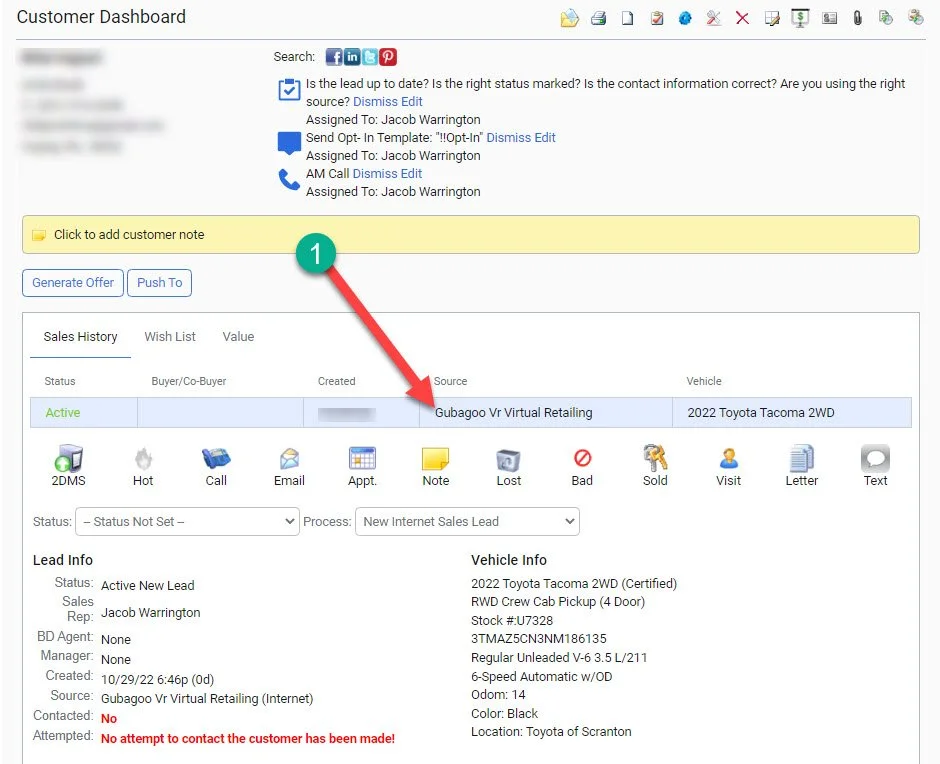
1- Begin by identifying the type of lead you have received.
For a deeper understanding of what the lead may be, please see the Lead Source Guide
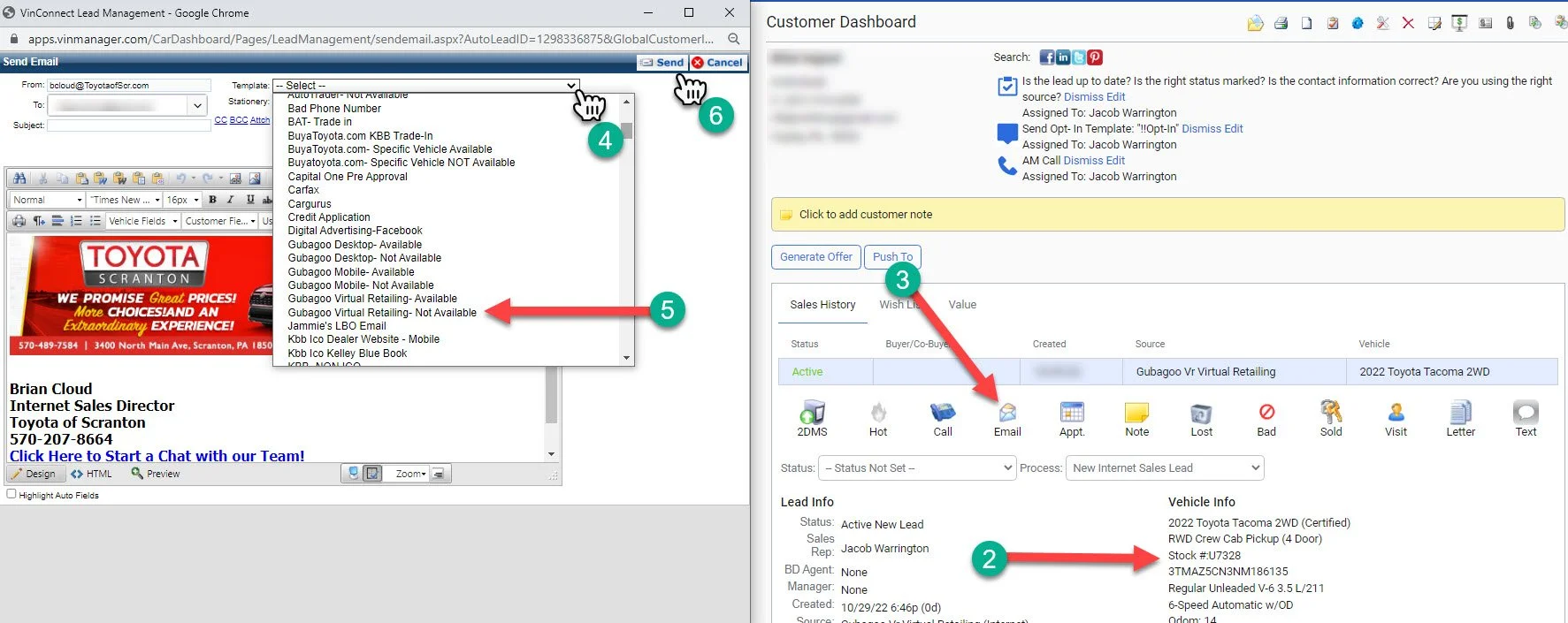
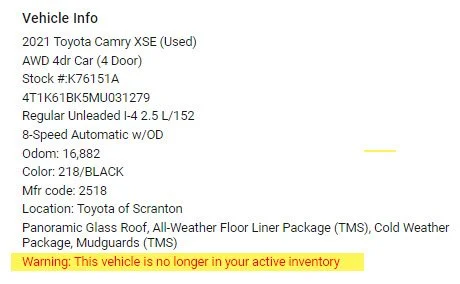
2- Check the availability of the stock number requested.
Note: If the vehicle has been out of the dealership’s inventory for over 24 Hours, the system will make a note under the record.
3- Click the “Email” Icon
4- A new email window will pop up. On the right side of the window, select the “Template:” dropdown.
5- Choose the template that matches the lead source and the vehicle availability.
6- Click “Send”
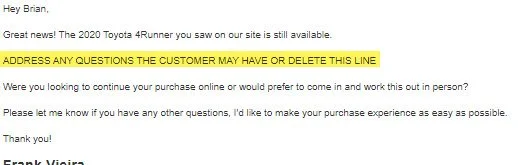
If a template has a “!” in front of it, this means you must customize the email.
Follow the instructions written within before sending.
If you receive a lead that has no associated template, please email bcloud@tsofs.com to have it created. If you are unsure how to approach the lead, speak to you manager prior to sending an email.