
Customer View
This is the main customer search function.
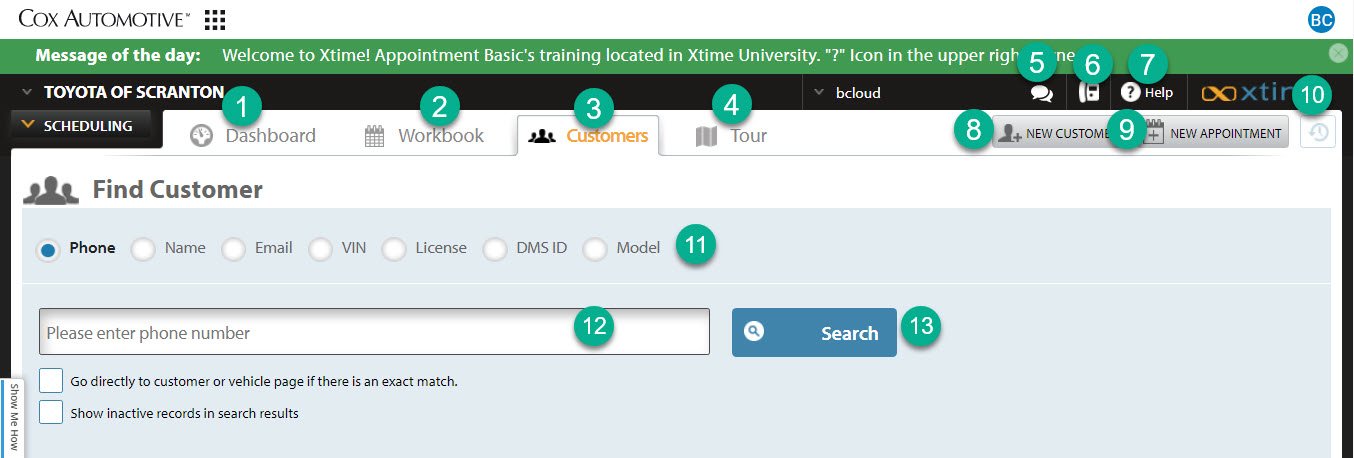
1- Dashboard Button: This is a visual representation of your day, showing the busiest times and opportunities for additional appointments
2- Workbook Button: This is your operations command center where you can see the status of your customers and their vehicles
3- Customers Button: This is the customer search function. Here you can search by name, phone, VIN, or license plate.
4- Tour: You can find most of what you need to know on how to work Xtime here. Some of the above has been copied directly out of that Tour Guide.
5- Messages: This is the message center for the dealership.
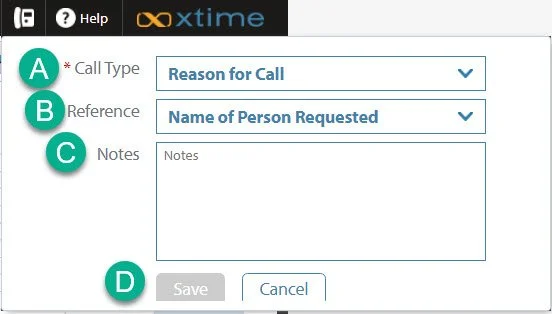
6- Phone Log: This is where you can log a call you’ve made to a customer. We do not use this function here at the dealership.
It does not log specific to a customer and leave information behind on a profile.
a. In this drop down you can select the reason for your call.
b. In this section you can select who the customer was calling for.
c. In this section you leave the notes regarding your phone call.
d. Click the “Save” button to complete the logging of the phone call.
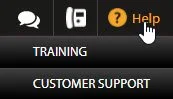
7- Help: From here you can access Xtime University to take video training classes and tests or reach out to customer support.
8- New Customer: Add a new customer and their vehicle to the system.
Click here for a guide on how to add a new customer.
9- New Appointment: Quickly adding a new appointment directly from the dashboard.
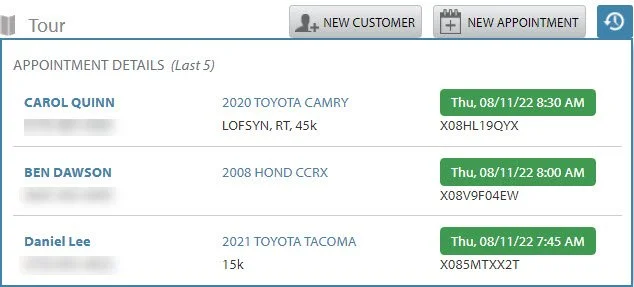
10- Recent Customers: By clicking this button you can find the customers you have recently viewed.
It will pop in the corner of your screen. Click on the customer’s name to return to their profile.
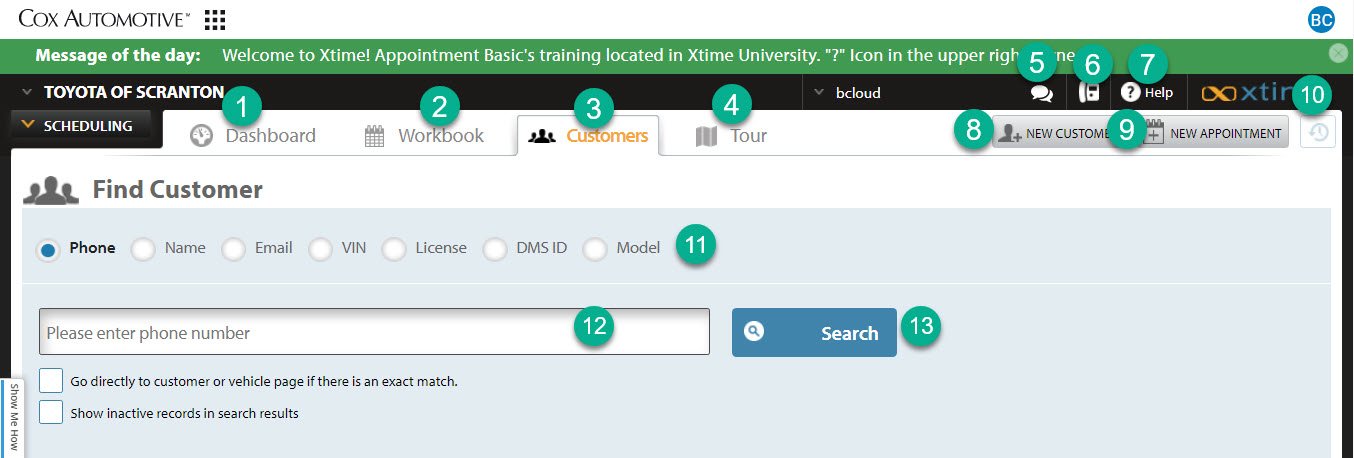
11- Search Criteria: Select a search criterion to begin.
Phone number is generally the easiest search. However, if you already have a customer’s VIN, this can be just as easy.
12- Search Bar: This is a search bar. You enter in the information you are searching for in this section, based on the criteria above.
13- Search Button: Clicking this button or by pressing enter on your keyboard will execute the search you are attempting to accomplish.