
Canceling the Appointment
Note: If you are unsure of how to access the “Appointment Next Steps Widget” please refer to the “Dealership Sales Appointment Widget” page.
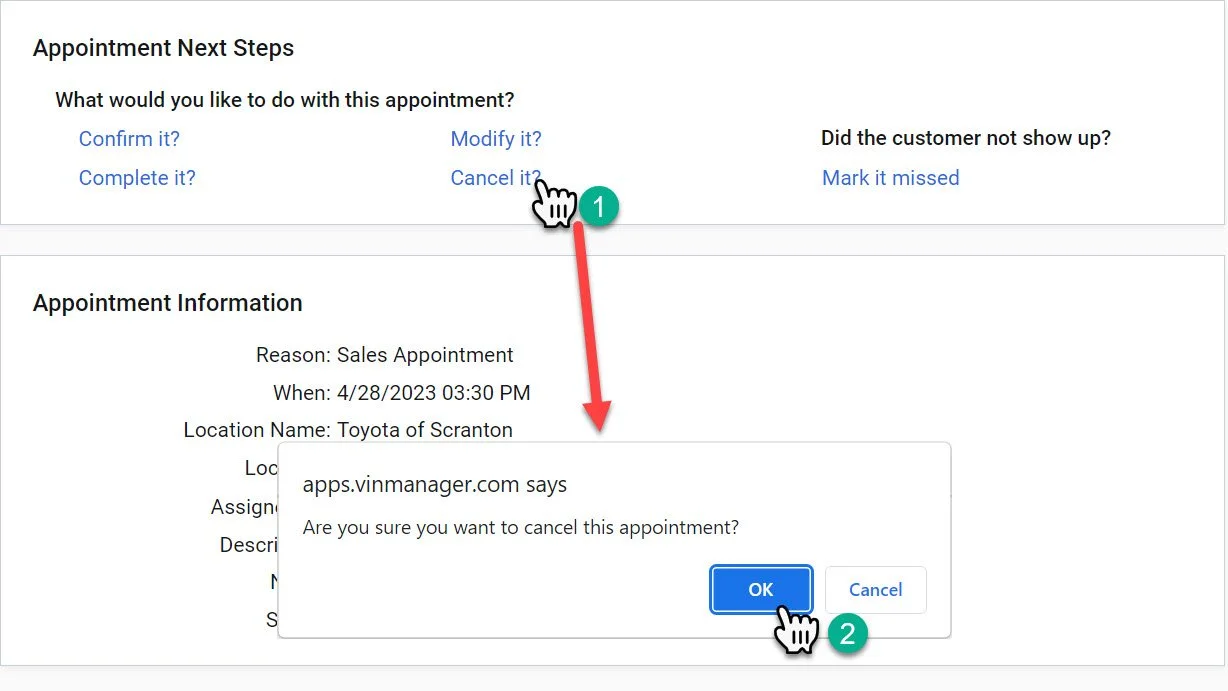
1- Click the “Cancel it?” button.
2- A pop-up will show up on the screen asking you to confirm the action. Click the “OK” button.
Cancelling the appointment is only used when an appointment should not have been made in the first place.
This deletes the appointment from the system with the exception of a timestamp on the customer record. If the customer did not show or has informed you they will not be coming and it was an appointment, mark the appointment “missed”.