VinSolutions Dashboard

The dashboard is the main focus of where we begin when using VinSolutions.
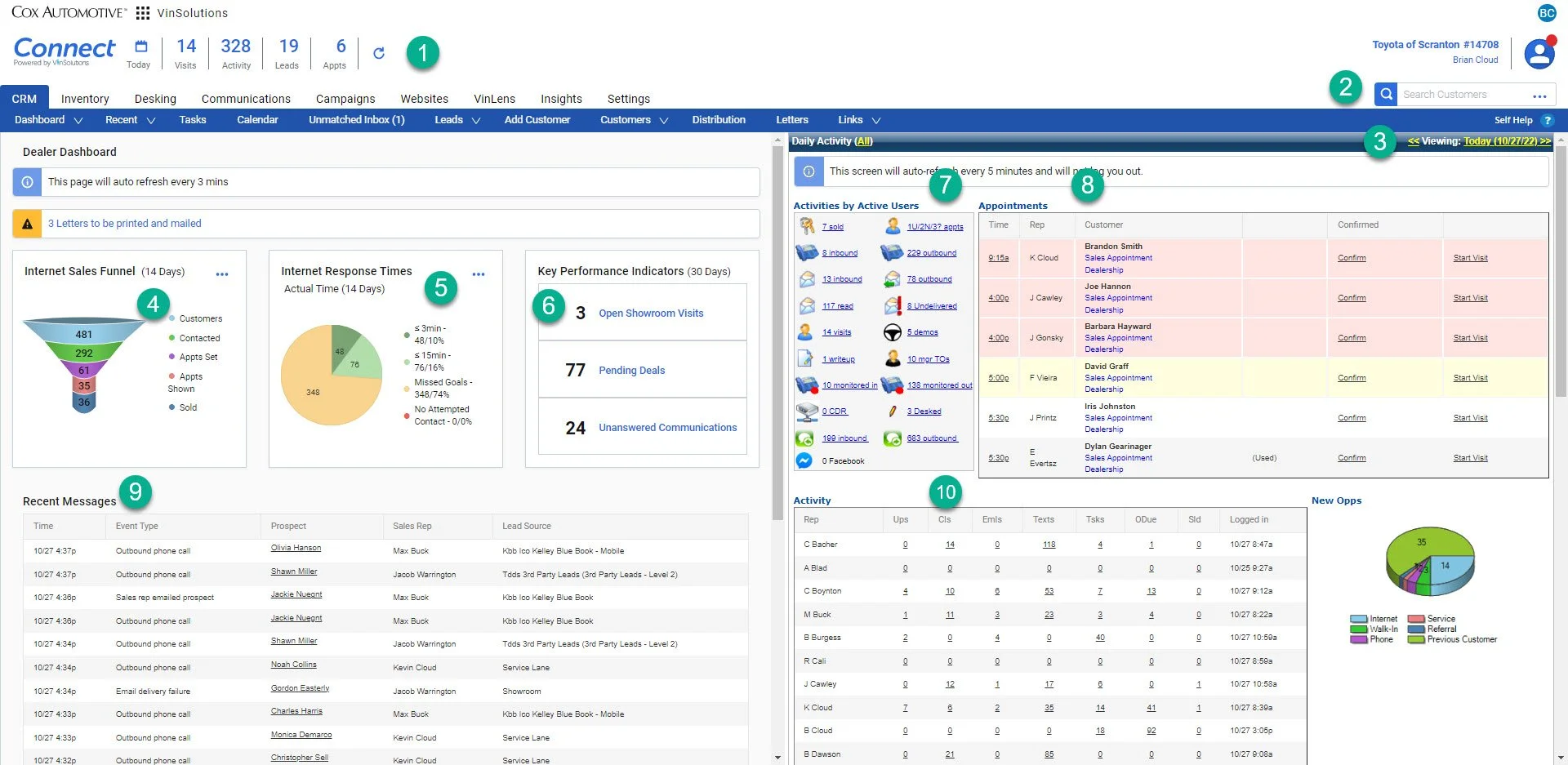
1- This is the quick view of the “Connect” dashboard, it provides a count of all activity, new ups and appointments for the entire dealership.

By clicking on this section you can open the “Connect” Dashboard.

2- This is the “quick search” bar. You can use this section to search for customers by typing in their name (full or partial), phone number,  and email address

3- This is the date of the “Dealership” Dashboard you are using. You can adjust the date to see past “Daily Activity”

4- This is the “Internet Sales Funnel''. Here you can find the leads and how they are doing. This is generally of no use to anyone since it is antiquated.

5- This is the “Internet Response Times” widget. You can use this to find and answer new leads.

6- This is the “Key Performance Indicators” widget.

On this mini-dashboard you can quickly navigate to customers that are currently in the showroom, unanswered communications from the dealership, and pending deals (this includes customer that are still trying to get through finance and deals that have not been finalized in the DMS yet).

7- This is a clickable dashboard of overall dealership activities.

8- This is a list of all dealership sales appointments.

9- This is a list of all the current inbound and outbound communications for the entire dealership. Clicking on the customer’s name will take you directly to their profile. 

10- This is the Activity Dashboard broken down by individual users. From here you can navigate to the individual user’s communications, showroom ups, tasks, and sold logs.